OVERVIEW
This web application called "Overall Product Summary" was made so that all the related employees to be shared the latest progress of the product development. "Overall Product Summary" acquires schedule data automatically from Clarizen which is project management tool and displays it at a glance in intelligible Roadmap. Program Manager in charge of each category manages whole schedule in Clarizen with responsibility with keeping enough comunications with nesessary peoples. You can choose the screen of desired category by clicking the tabs on the screen. One Roadmap expresses the schedule of one product and they are grouped by category.
Milestones prescribed in D+M Milestone Process is illustrated with an icon on the Roadmap. The color of the icon shows status of the progress. In addition, by optional choice of Roadmap view, the comparison with an original plan or the results schedule are possible. Furthermore, the reader can see more detailed information by clicking each Milestone.
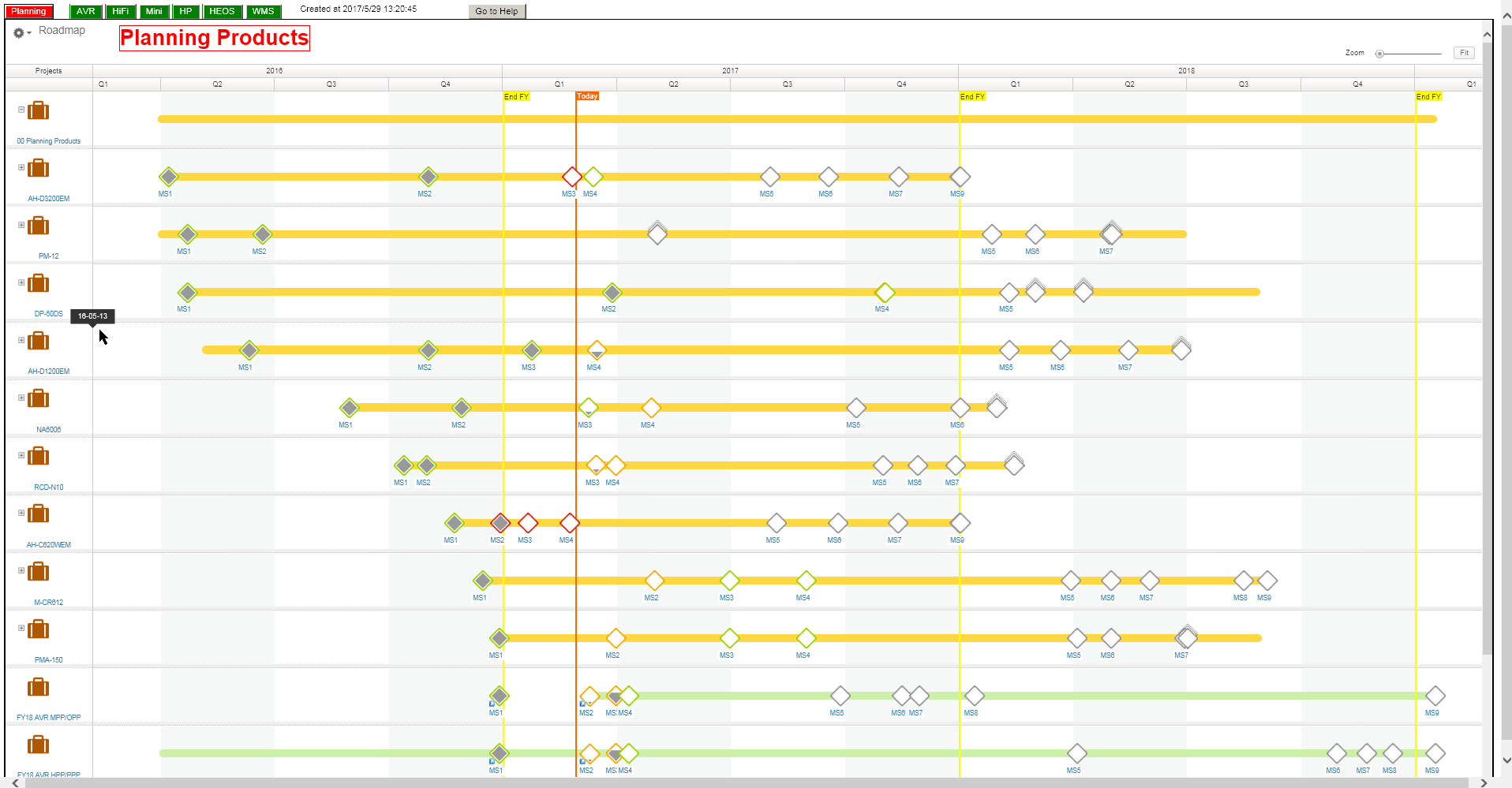
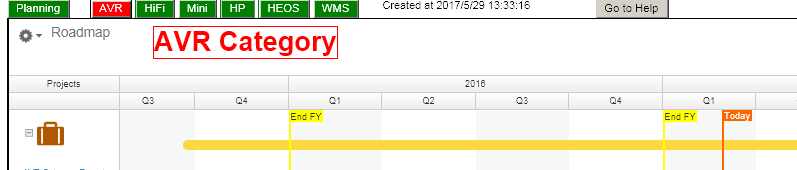
On the Roadmap screen the calendar scale is displayed separately by four quarters. New one quater of fisical year (FY) starts on April 1st with marking of "End FY" and yellow line. The "Today" orange marked cursor displays the timing of the roadmap is created.

At every time of the page view created, the date and time are displayed as top of each screen.

At right upper corner you can find the Zoom bar and Fit button. With the Zoom bar time scale expansion is possible when you want to see more details of the roadmap. Clicking the time sclae will return to the default setting.

SCREEN PAGES
"Overall Product Summary" has total seven pages displaying each category Roadmaps. The "Planning" page carries Roadmap of the product which a BCR document is not issued yet that is MS4 does not complete, and each page of "AVR", "HiFi", "Mini", "HP", "HEOS" and "WMS" shows product Roadmaps of each category. Click one of the tabs at left upper of the screen to change desired page. After page selection the web allication starts to acruire the latest data from Clarizen, so some seconds will be needed to create new roadmaps.
ICONS AND COLORS
 The icon on left side of the screen indicates the product, you can see the name of product under the icon.
 The diamond shaped icon on the roadmap indicates each milestone's schedule. With clicking this icon, detailed information of the milestone is diaplyed on the small window.
 In case of this icon appers on the roadmap there is special note recorded by someone in Clarizen. With clicking the icon you can read the note.
The color of the frame of the Milestone icon shows a state of Milestone.
- Green : There is no delay risk (On Time)
- Yellow: Schedule has risk of delay (At Risk)
- Red : Already expired (Past Due)
- Gray : Under plannng (Draft)
SUB PROJECTS
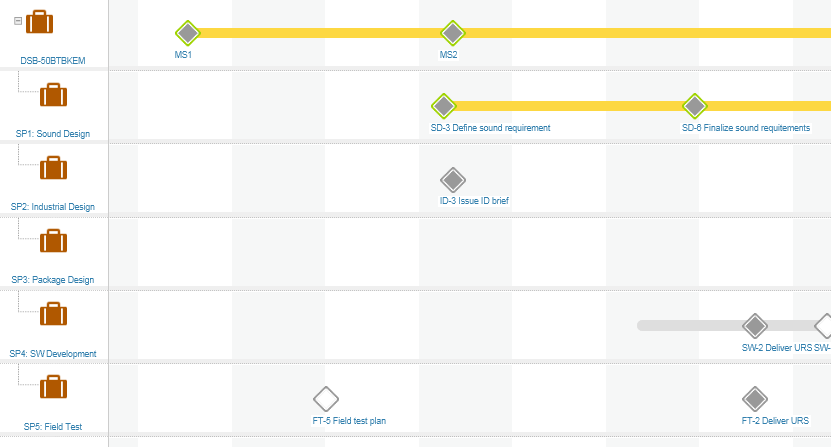
In "D+M Milestone Process" total five subprocesses are defined mainly for the planning stage as followings.
- Sub-Procerss #1: Sound Design
- Sub-Procerss #2: Industrial Design
- Sub-Procerss #3: Package Design
- Sub-Procerss #4: SOftware Development for Productization
- Sub-Procerss #5: Field Test
 Clicking the "+" mark of the product, the sub processes will be appeared as belows.
ROADMAP VIEW OPTION
Default Roadmap view mode "Standard" displays the latest due date of each milestone, and you can change the other view mode.
There are three of view options named "Flat View", "Baseline" and "Plan Vs. Actual". You can select desired view from the small window opened by clicking the triangle icon near the gear icon.
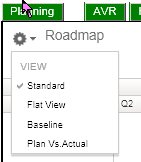
"Flat View" displays it in one Roadmap including the milestone of the subprocess of the lower level.

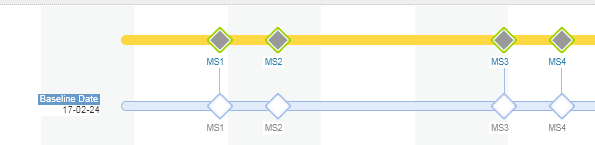
"Baseline" displays an original due date in parallel with the latest due date.
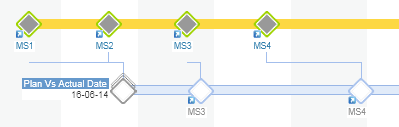
"Plan Vs. Actual" displays results day in parallel with the latest due date.
DETAILED INFORMATION
By click the each milestone icon on the roadmap the small window appears to indicate stardard information as below.
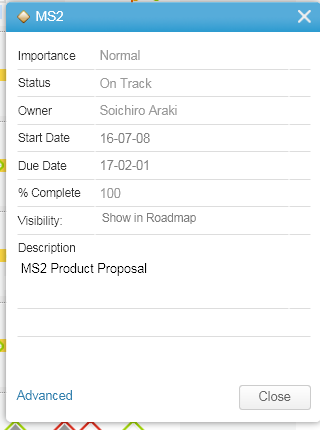
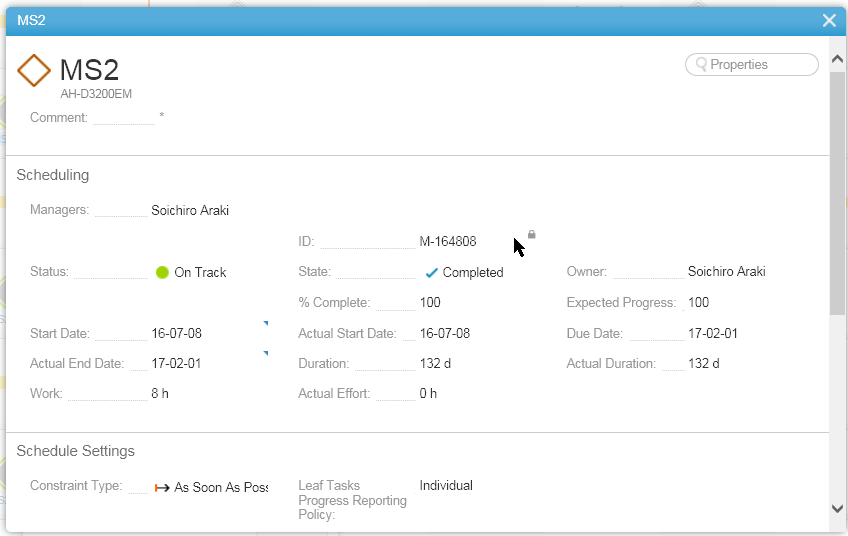
From this window you can step into more detailed window by click the word of "Advanced". The second opened window indicates more detail information regarding the milestone. Pay attention to "Comment:" part which consists the note the program manager or other poeple want to share the special information on the second window.
CLARIZEN USER MANUAL
For more detailed information of Clarizen, go to the users manual site of Clarizen.
Clarizen Onle User Manual
In the manual you can see the Roadmap description here.
Roadmap details