
Search result
Rear panel
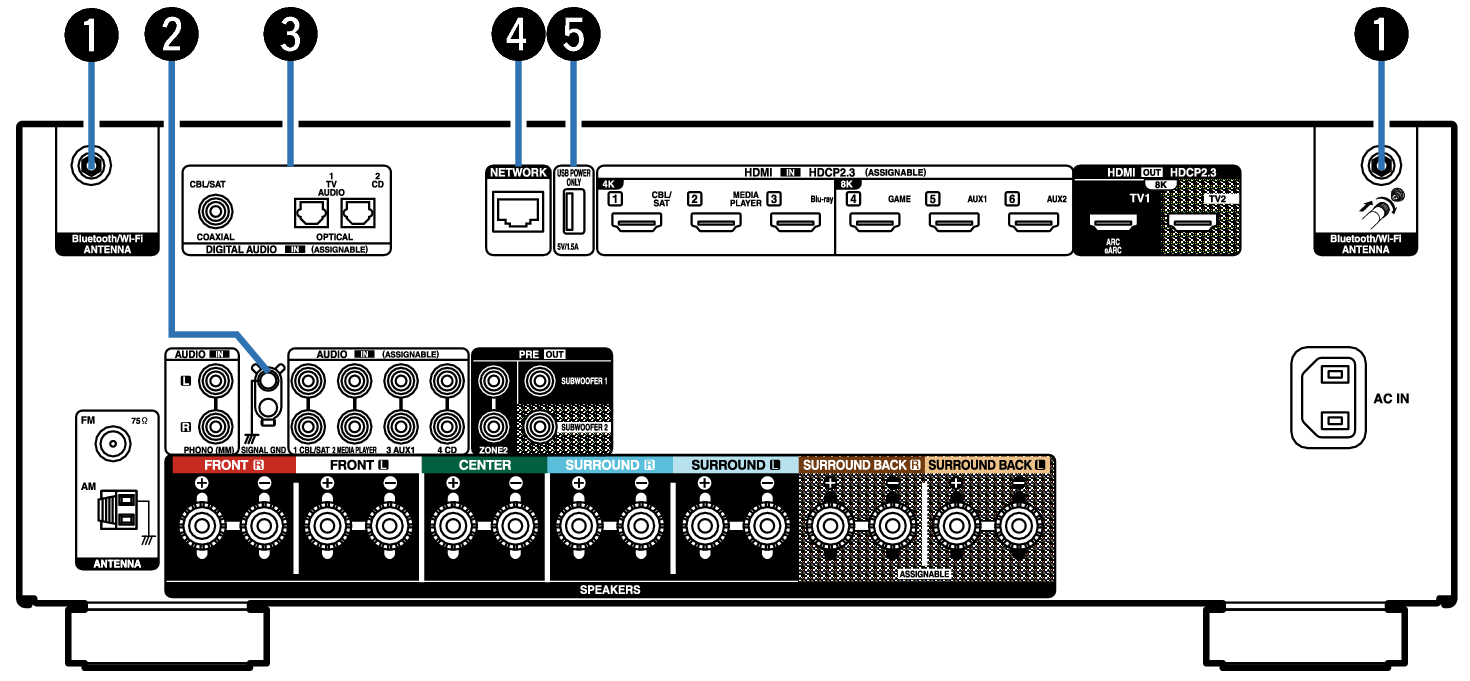
Bluetooth/wireless LAN antenna connectors
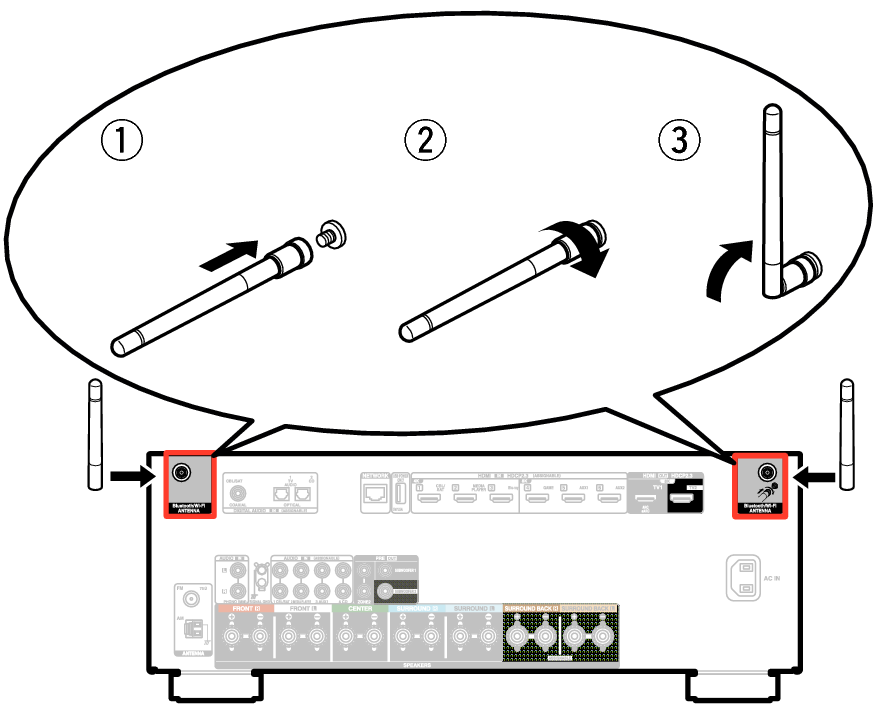
Used to connect the included external antennas for Bluetooth/wireless connectivity when connecting to a network via wireless LAN, or when connecting to a handheld device via Bluetooth. link
Place the external antennas for Bluetooth/wireless connectivity evenly over the screw terminal of rear.
Turn clockwise until the antennas is fully connected.
Rotate the antenna upwards for best reception.
SIGNAL GND terminal
Used to connect a ground wire for the turntable. link
Digital audio connectors (DIGITAL AUDIO)
Used to connect devices equipped with digital audio connectors.
NETWORK connector
Used to connect to a LAN cable when connecting to a wired LAN network. link
USB port (POWER SUPPLY)
Can be used to power streaming media players, etc.
Use a device’s supplied AC adapter when a power supply of 5 V/1.5 A or more is required.
Connect to the USB port on the front panel to play content from a USB memory device.
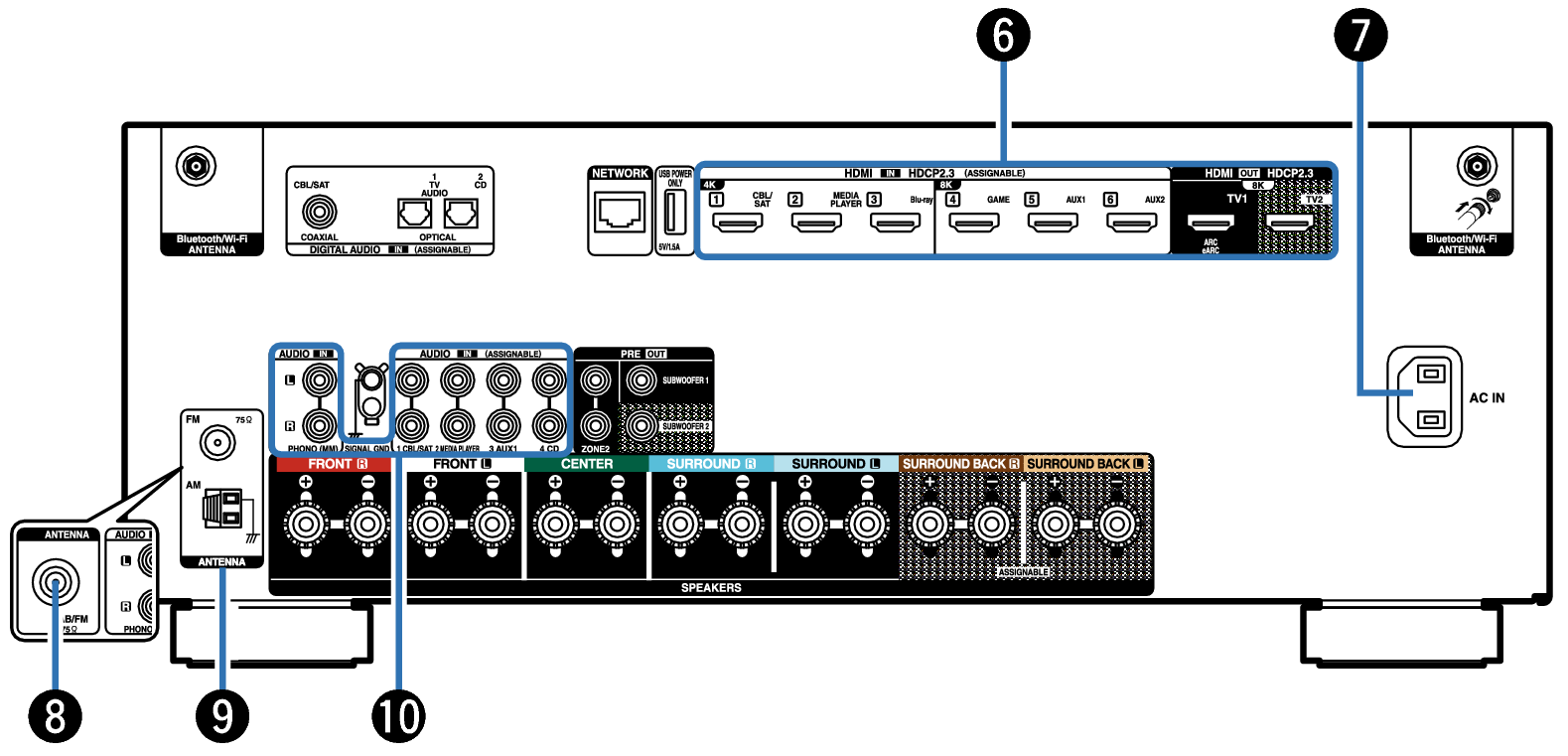
HDMI connectors
Used to connect devices equipped with HDMI connectors.
AC inlet (AC IN)
Used to connect the power cord. link
DAB/FM antenna terminal (ANTENNA) (for FM/DAB model only)
Used to connect a DAB/FM antenna. link
FM/AM antenna terminals (ANTENNA) (for FM/AM model only)
Used to connect FM antennas and AM loop antennas. link
Analog audio connectors (AUDIO)
Used to connect devices equipped with analog audio connectors.
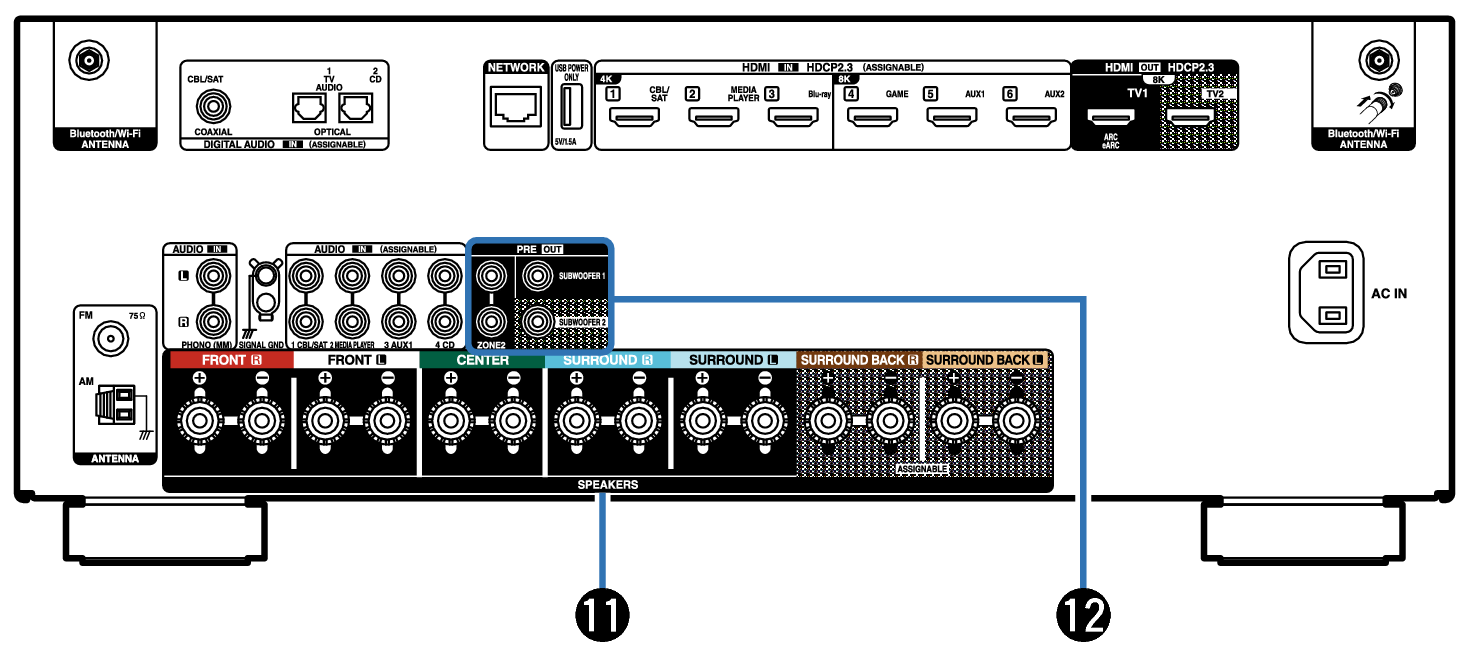
Speaker terminals (SPEAKERS)
Used to connect speakers. link
PRE OUT connectors
Used to connect a subwoofer with built-in amplifier or an external power amplifier.
NOTE
Do not touch the inner pins of the connectors on the rear panel. Electrostatic discharge may cause permanent damage to the unit.