
Playing music from a Bluetooth device
Activate the Bluetooth setting on your mobile device.
Press and hold the Bluetooth button (  ) located on the rear panel of the speaker for 3 seconds and release the button when you see a pattern of two green flashes on the status LED.
) located on the rear panel of the speaker for 3 seconds and release the button when you see a pattern of two green flashes on the status LED.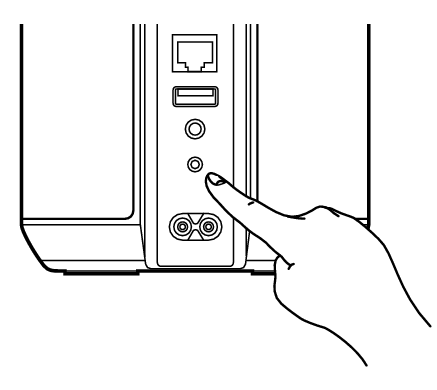
Select “Denon Home 150 NV” from the list of available Bluetooth devices.
In a few seconds your mobile device will indicate that it is connected to your speaker.
Play music using any app on your device.
The sound will now play from the speaker.
NOTE
If no sound is heard, disconnect and reconnect Bluetooth connections from your Bluetooth device.