
Status LED table
Power indicator
|
Device Operation |
Description |
Front LED Action |
|---|---|---|
|
OFF |
No AC power, Master Power Switch OFF, Deep Standby |
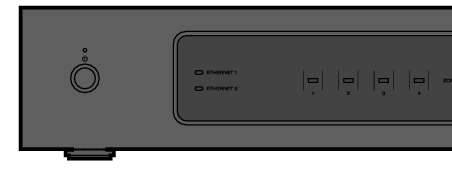 (off) |
|
ON |
Power ON |
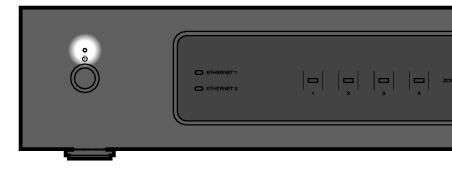 (solid) |
|
Power Management |
Quick Start Mode-When all Zone enter Quick Start Mode |
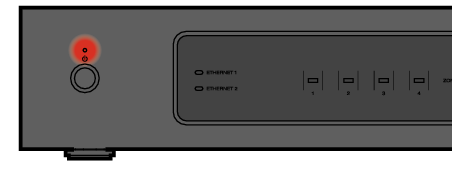 (solid) |
|
Error |
Hardware protection - Refer to BASIC TROUBLESHOOTINGlink |
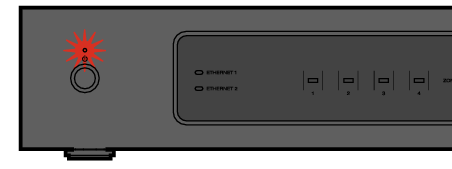 (blink) |
Network indicators
|
Device Operation |
Description |
Front LED Action |
|---|---|---|
|
OFF |
Not Connected to your network |
 (off) |
|
Connect |
Connected to your network |
 (solid) |
Zone indicators
|
Device Operation |
Description |
Front LED Action |
|---|---|---|
|
OFF |
No AC Power, Master Power Switch OFF, Deep Standby |
(off) |
|
Master Power Switch ON |
Booting |
 (blink) |
|
ON |
Ready-Configured and connected to your network |
 (solid) |
|
Not Connected to your network |
 (solid) |
|
|
Update |
Updating |
 (blink) |
|
Rebooting |
(blink) |
|
|
Ready-Configured and connected to your network |
(solid) |
|
|
Reset |
Soft reset - Clear user settings |
(fast blink) |
|
Hard reset - Factory restore |
(blink) |
|
|
Rebooting |
(blink) |
|
|
Ready-Not Configured |
(solid) |
|
|
Errors |
Firmware Error |
 (slow blink (NOT fade)) |
|
Hardware Error |
(fast blink) |
|
|
Network Error |
(solid) |
|
|
Volume Change |
|
(quick blink) |
|
Mute |
|
(slow blink) |
|
Power Management |
Quick Start mode-When all Zone enter Quick Start Mode |
(solid) |
|
Deep Standby |
 (off) |