Search result
HEOS app update
The HEOS App was updated to version 3.0 in December 2023. The user interface has been updated to further improve ease of use.
HEOS App Screen Layout
The new HEOS App comprises Home, Rooms and Search screens.
Home
Selecting the music track or station from music sources.

Display the Now Playing screen. Now Playinglink
 Settings: Display the Settings menu Settingslink
All music services displayed may not be available in your location.
Rooms
Selecting a room/device.
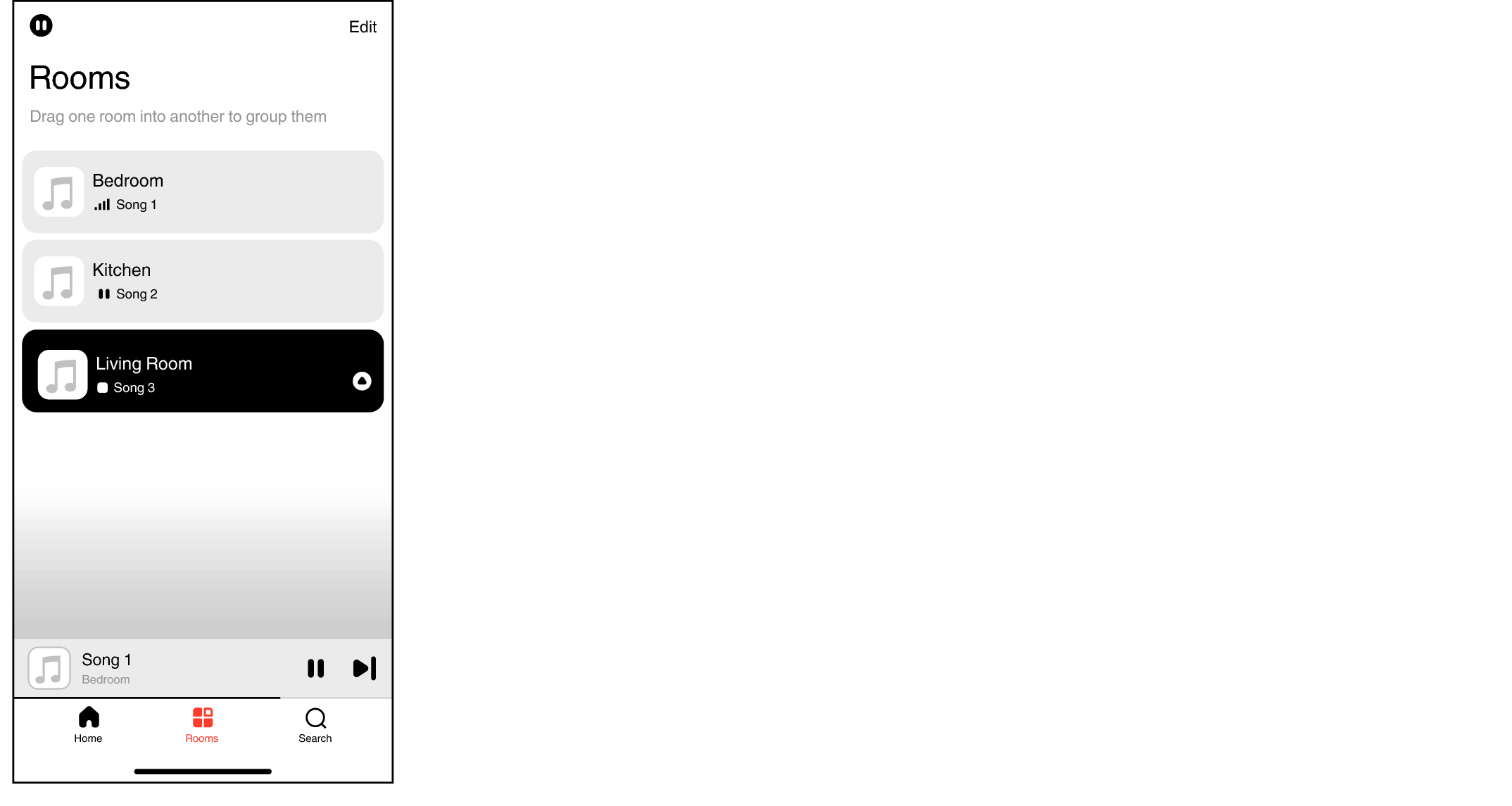
Tap the “Edit” at the top right to switch edit mode. You can change the displayed name.
Multiple devices can be grouped together. Settingslink
Search
Search for the music or video you wish to play.

Now Playing
The Now Playing screen is displayed.
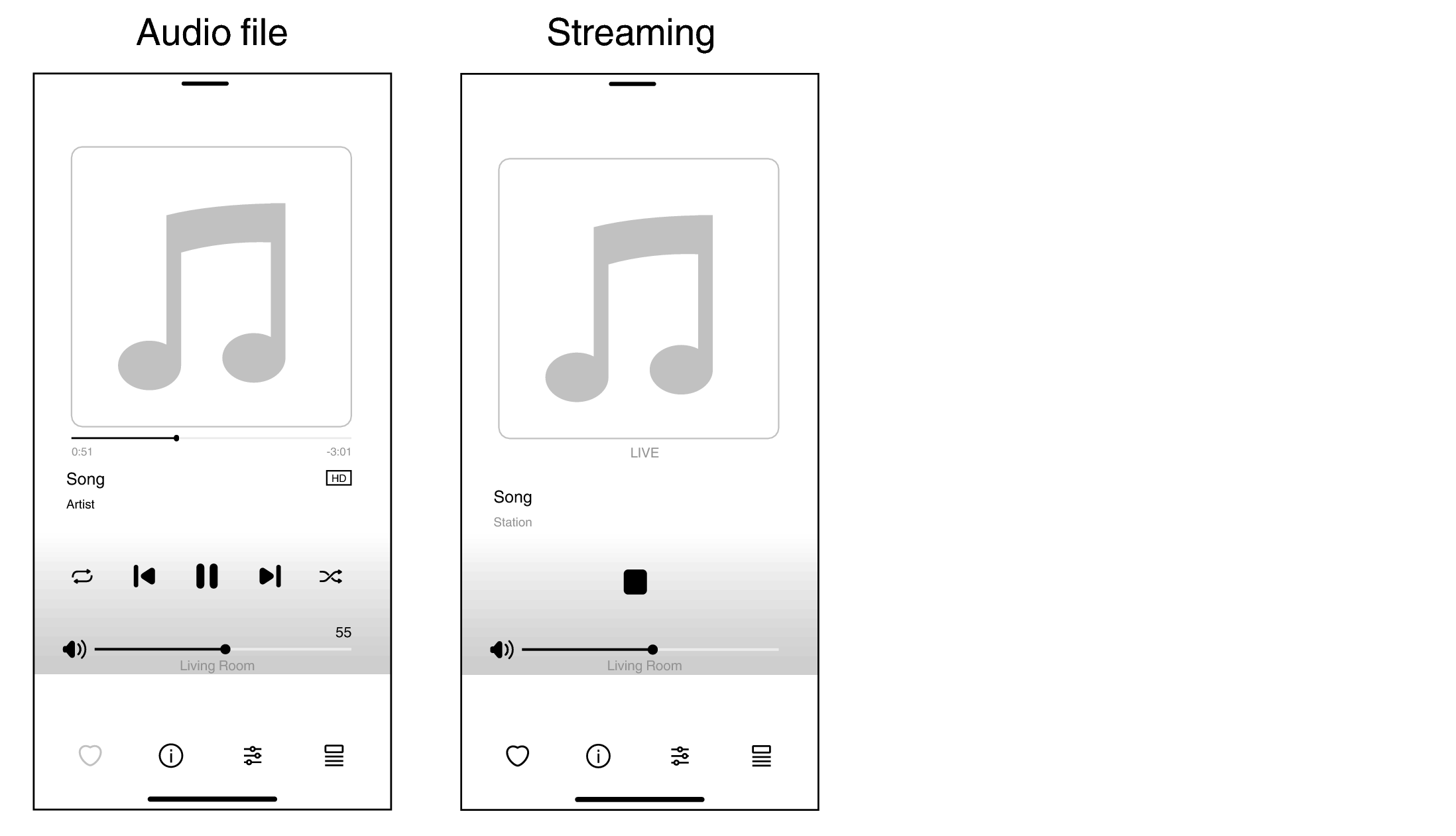
 Add to favorites (this is grayed out if the content cannot be added to favorites).
 More Info:Display information about the song currently being played.
 Adjust the sound options for the song currently being played.
 Create and edit playlists.
Settings
The Settings menu is displayed.
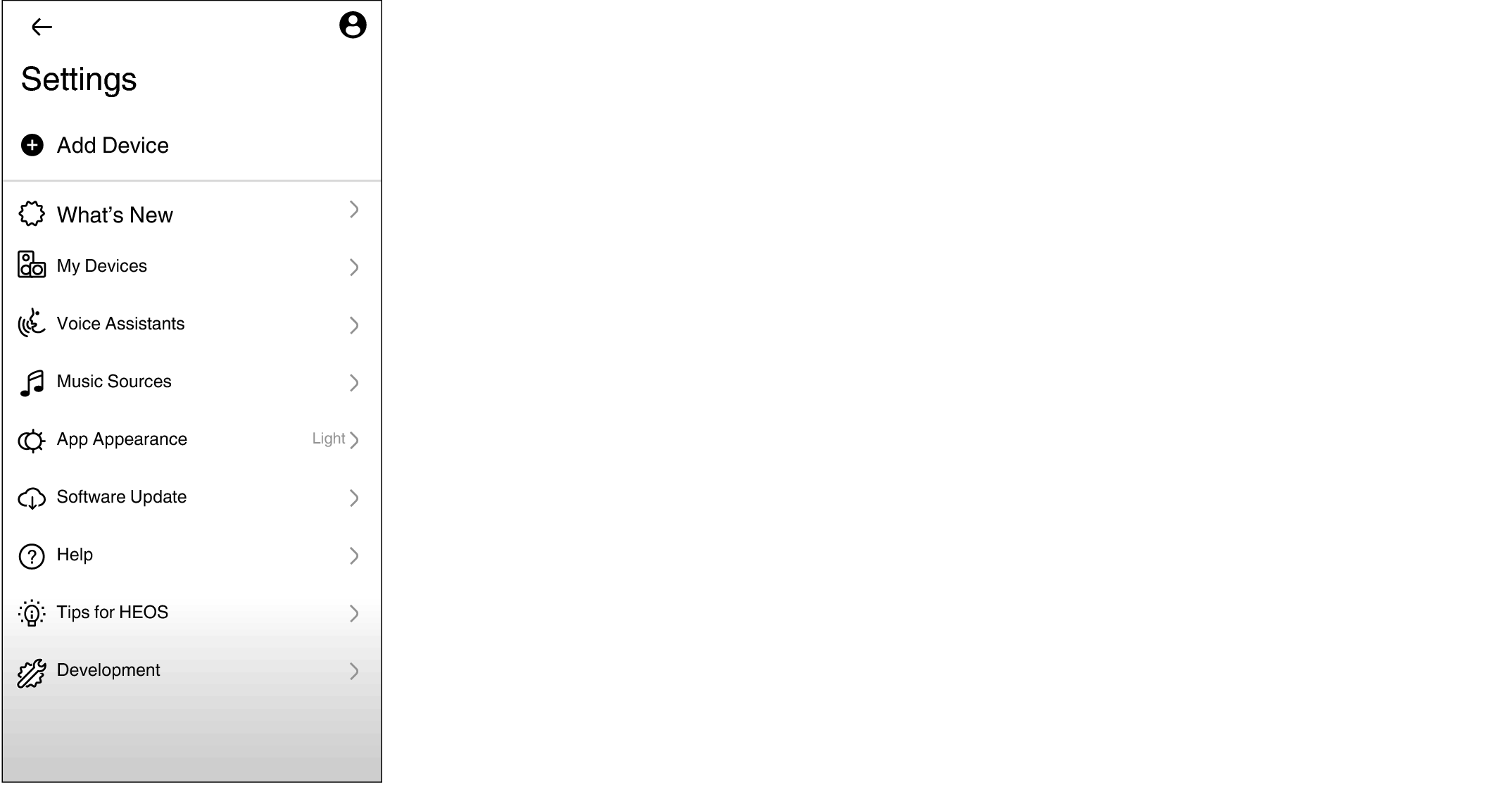
 Account:Display account information.
Listening to the same music in multiple rooms
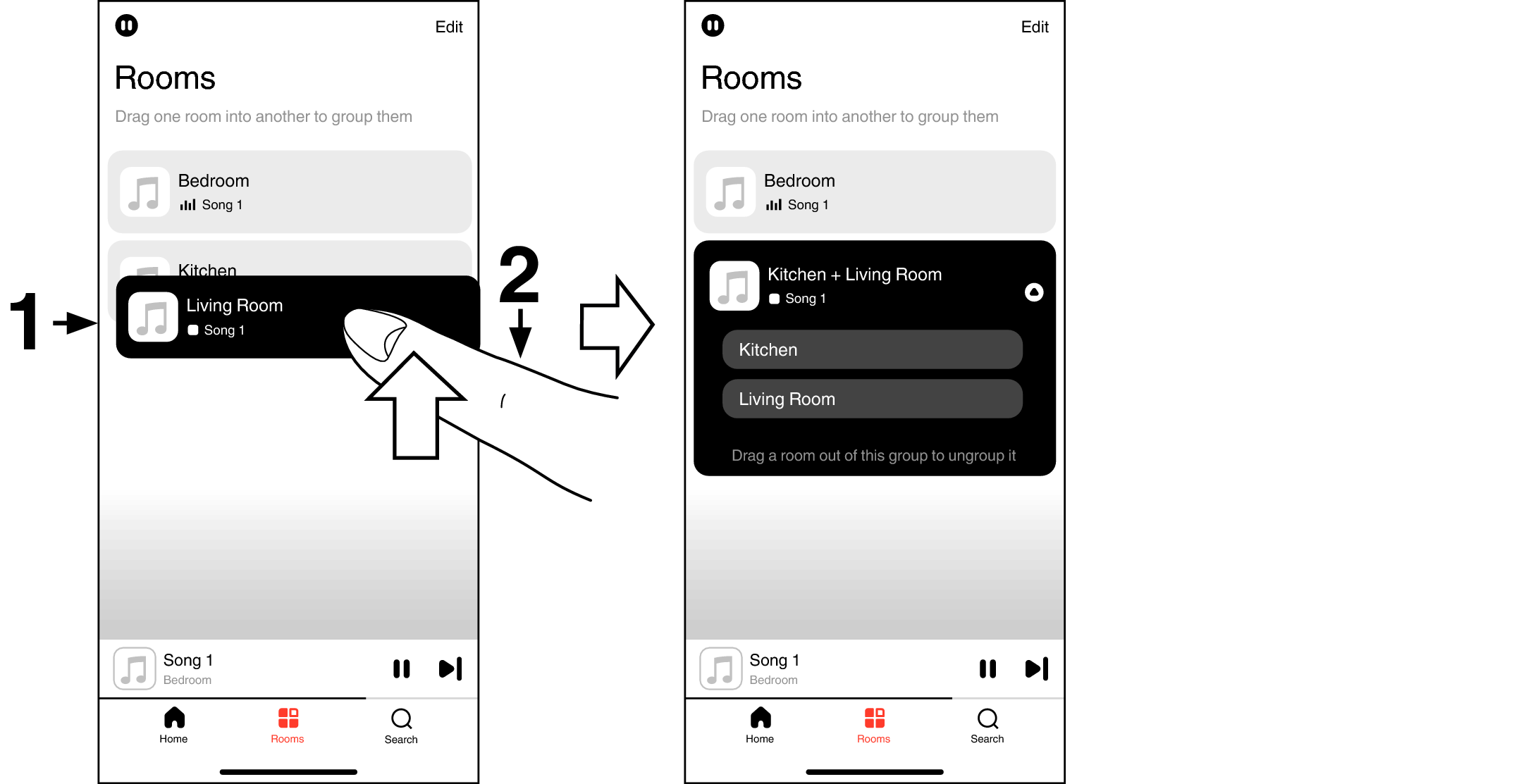
Grouping rooms
Press and hold your finger on room that is not playing music.
Drag it into the room that is playing music and lift your finger.
The two rooms will be grouped together into a single device group and both rooms will be playing the same music in perfect sync.
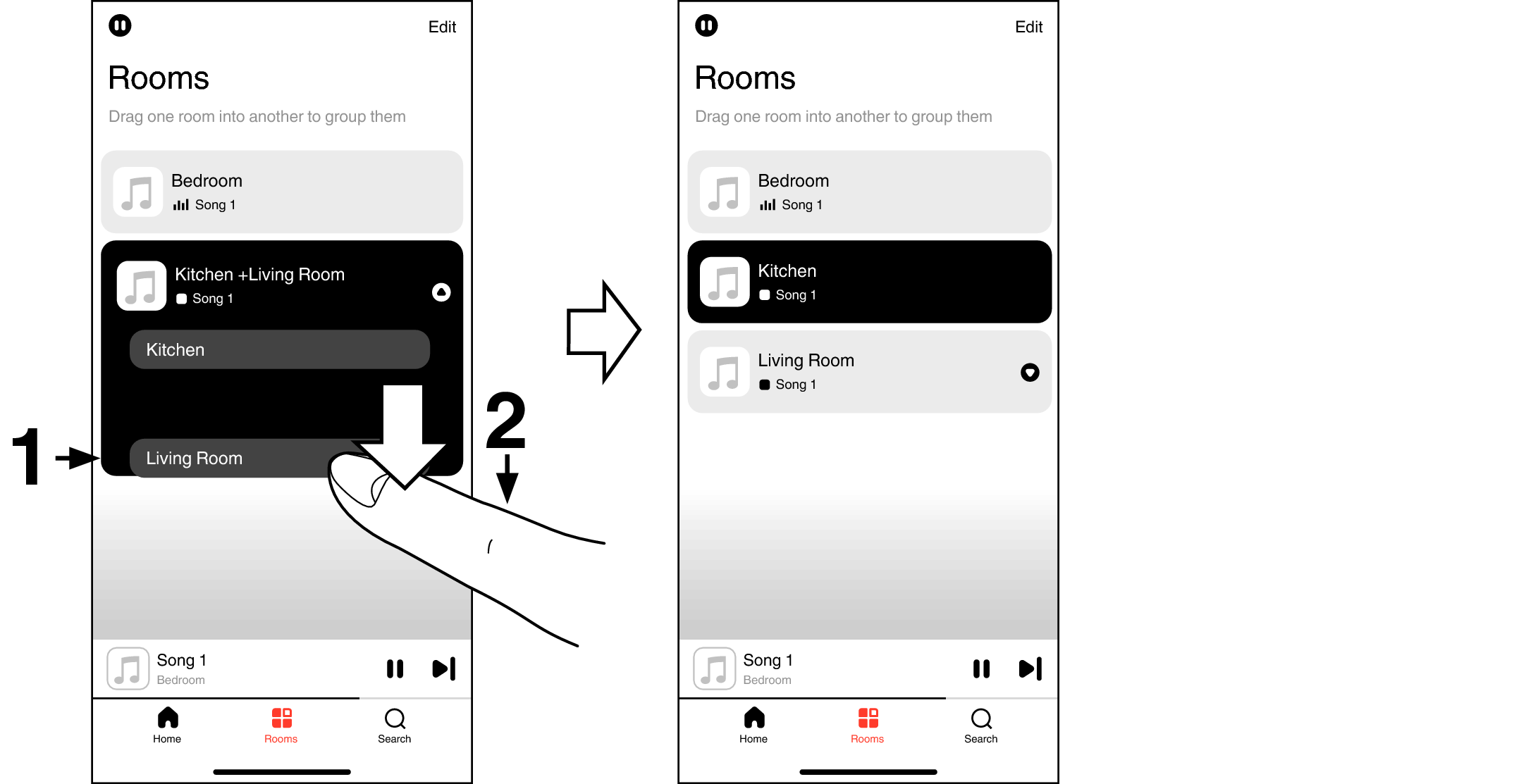
Ungrouping rooms
Press and hold your finger on room that you want to remove from the group.
Drag it out of the group and lift your finger.
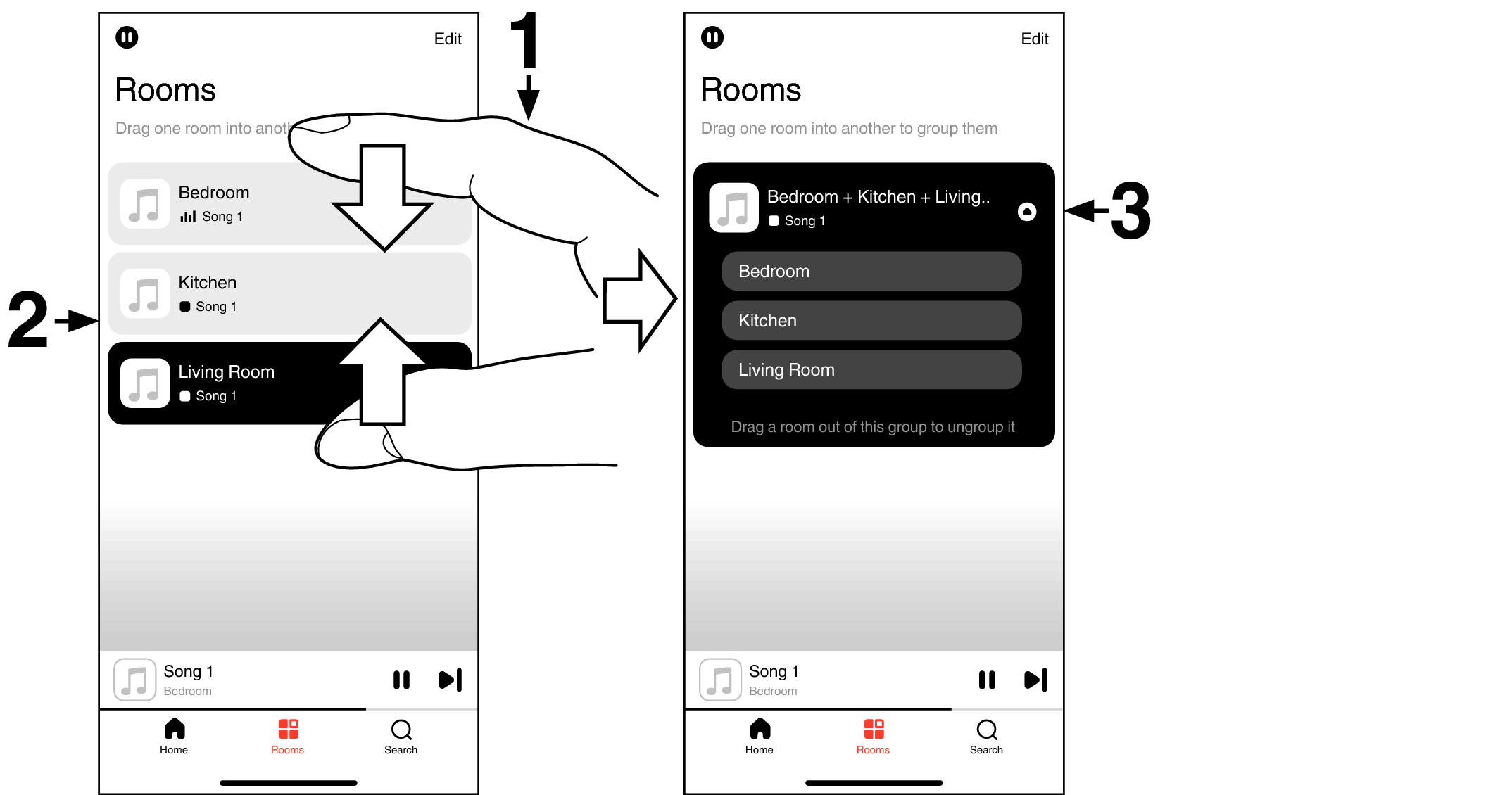
Grouping all rooms (party mode)
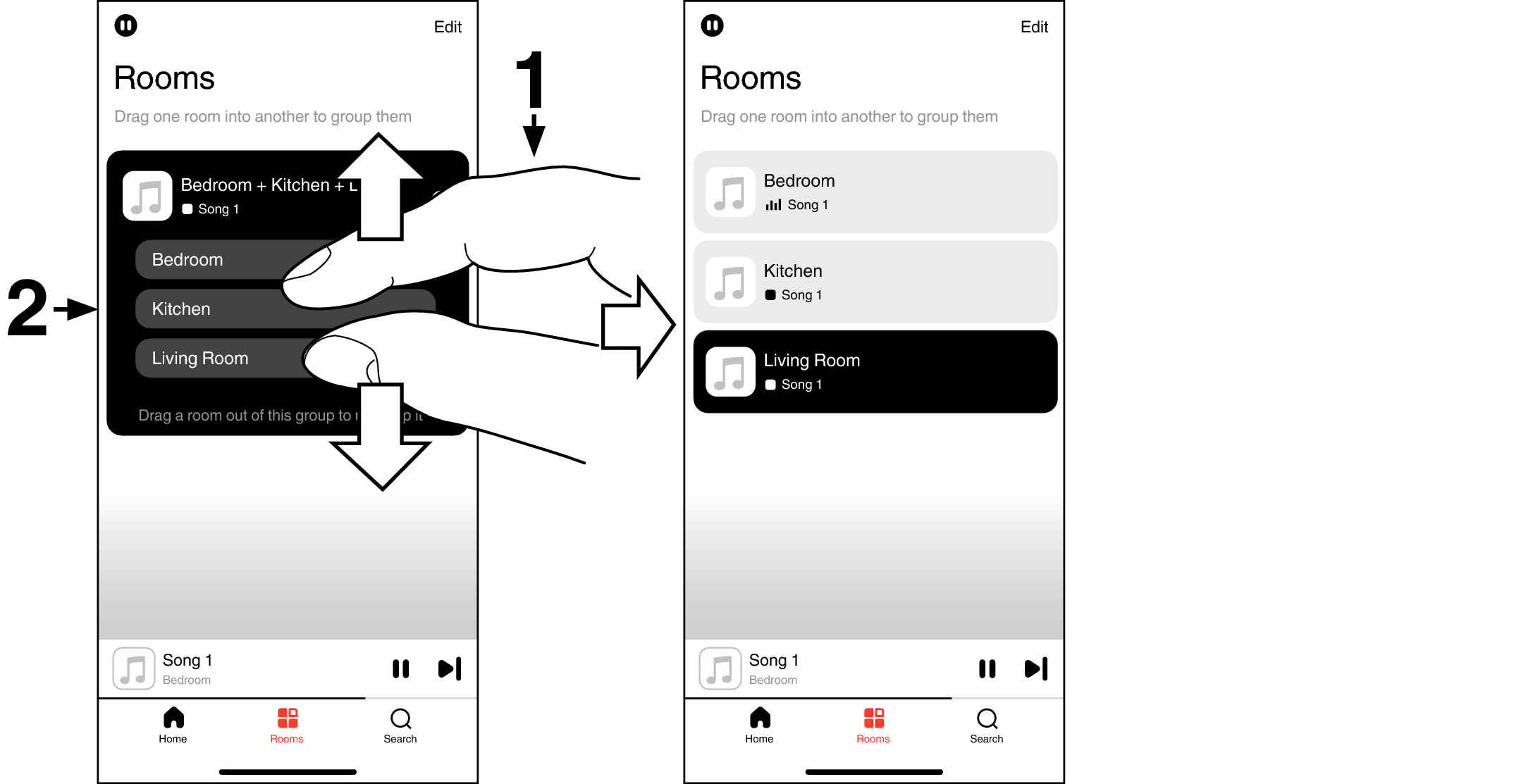
You can easily group 16 rooms together into Party Mode by using a "pinch" gesture.
Place two fingers on the screen over the list of rooms.
Quickly pinch your two fingers together and release.
All of your rooms will be joined together and begin playing the same music in perfect sync.
Ungrouping all rooms
You can easily ungroup all of your rooms and exit Party Mode by using a "spread" gesture.
Place two fingers close together on the screen over list of rooms.
Quickly spread your two fingers apart from each other and release.
All of your rooms will be ungrouped.