logo
Contents

Overview

Accessories
Features
Part names and functions

Connections

Connections
Speaker connection
Connecting an analog device
Connecting a digital device
Connecting an iPod or USB memory device to the USB port
Connecting a DAB/FM antenna
Connecting the power cord

Playback

Basic operation
Playing CDs
Playing DATA CDs
Listening to DAB/FM broadcasts
Playing an iPod
Playing a USB memory device
Listening to DIGITAL IN
Listening to ANALOG IN
Convenience functions

Settings

Menu map

Tips

Tips
Troubleshooting
Resetting factory settings

Appendix

Playing back DATA CDs
Playing back USB memory devices
About Discs
Last function memory
Explanation of terms
Trademark information
Specifications
Dimensions / Weight
Index
PDF Download

Search result

There was no matching word.

  • Top
  • Playback

Overview

Accessories
Features
Part names and functions

Connections

Connections
Speaker connection
Connecting an analog device
Connecting a digital device
Connecting an iPod or USB memory device to the USB port
Connecting a DAB/FM antenna
Connecting the power cord

Playback

Basic operation
Playing CDs
Playing DATA CDs
Listening to DAB/FM broadcasts
Playing an iPod
Playing a USB memory device
Listening to DIGITAL IN
Listening to ANALOG IN
Convenience functions

Settings

Menu map

Tips

Tips
Troubleshooting
Resetting factory settings

Appendix

Playing back DATA CDs
Playing back USB memory devices
About Discs
Last function memory
Explanation of terms
Trademark information
Specifications
Dimensions / Weight
Index

Basic operation

Buttons on the remote control unit used for this operation
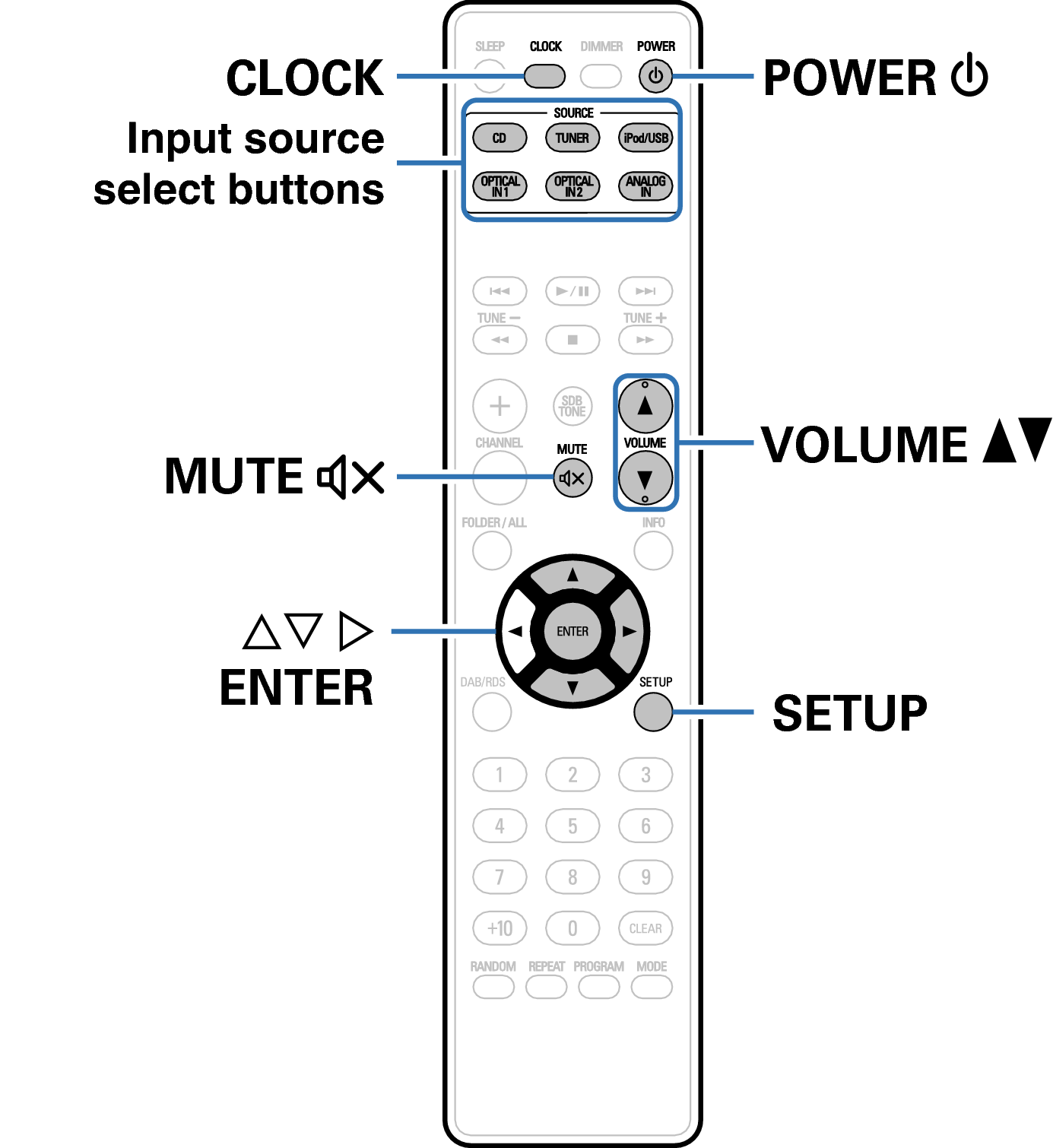
Ope RC1204 baisc
Basic operation
Turning the power on
Selecting the input source
Adjusting the volume
Turning off the sound temporarily
Playing CDs
Playing DATA CDs
Listening to DAB/FM broadcasts
Playing an iPod
Playing a USB memory device
Listening to DIGITAL IN
Listening to ANALOG IN
Convenience functions

back to top

CD RECEIVER
Copyright © 2015 D&M Holdings Inc. All Rights Reserved.
