
Description “V1-03”: Cannot detect the HDMI signal from the source device at the AVR input terminal (TMDS Rx PLL Lock, but SCDT(CKDT) OFF).
Video Flow V1-03/04/05/08/09
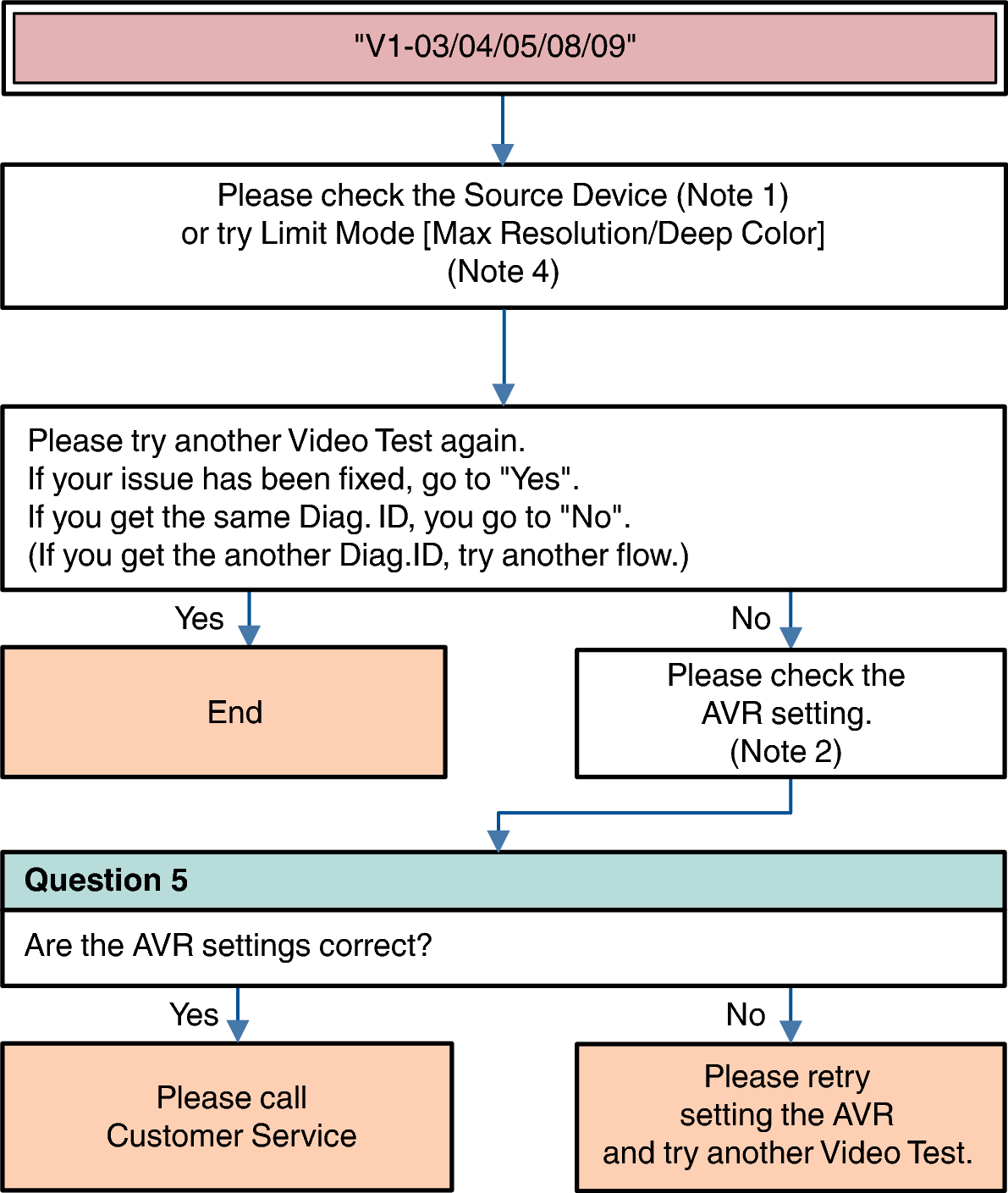
Description “V1-04”: Missing Video Info, or receiving Info Error (AVI Info does not exist).
Description “V1-05”: HDMI signal has video timing Error (Timing is not correct).
Description “V1-08”: Mismatch between input resolution and the resolution that is supported by monitor.
Description “V1-09”: Audio/Video MUTE command from Source Device is always ON.
|
Question * |
:Question for user to answer |
|
|
Note1: Source Device check item
(Try) AC Off/On
(Try) Standby/Power On
(Check or change) Video setting (Resolution, etc...)
(Check or change) Output Terminal setting (case of Dual output source device)
Video check (connect the HDMI cable from Source device to the Monitor directly without the AVR.)
Note 2: AVR check item
Menu Setting
Video  HDMI Setup HDMI Audio Out
Video 4K/8K Signal Format
Video Output Settings HDMI Video Output
Video Output Settings HDMI Upscaler
Video TV Format
Inputs Input Assign
Connection [Source device / AVR / Monitor device]
Note 4: Try Limit Mode
Max Resolution setting
Set a lower resolution
NoLimit 4K18Gbps 4K9Gbps 1080p 720p 480p
Deep Color setting
Set a “Limit”