
Search result
Remote control unit
The remote control provided with this unit can control a Denon amplifier.
Operating this unit
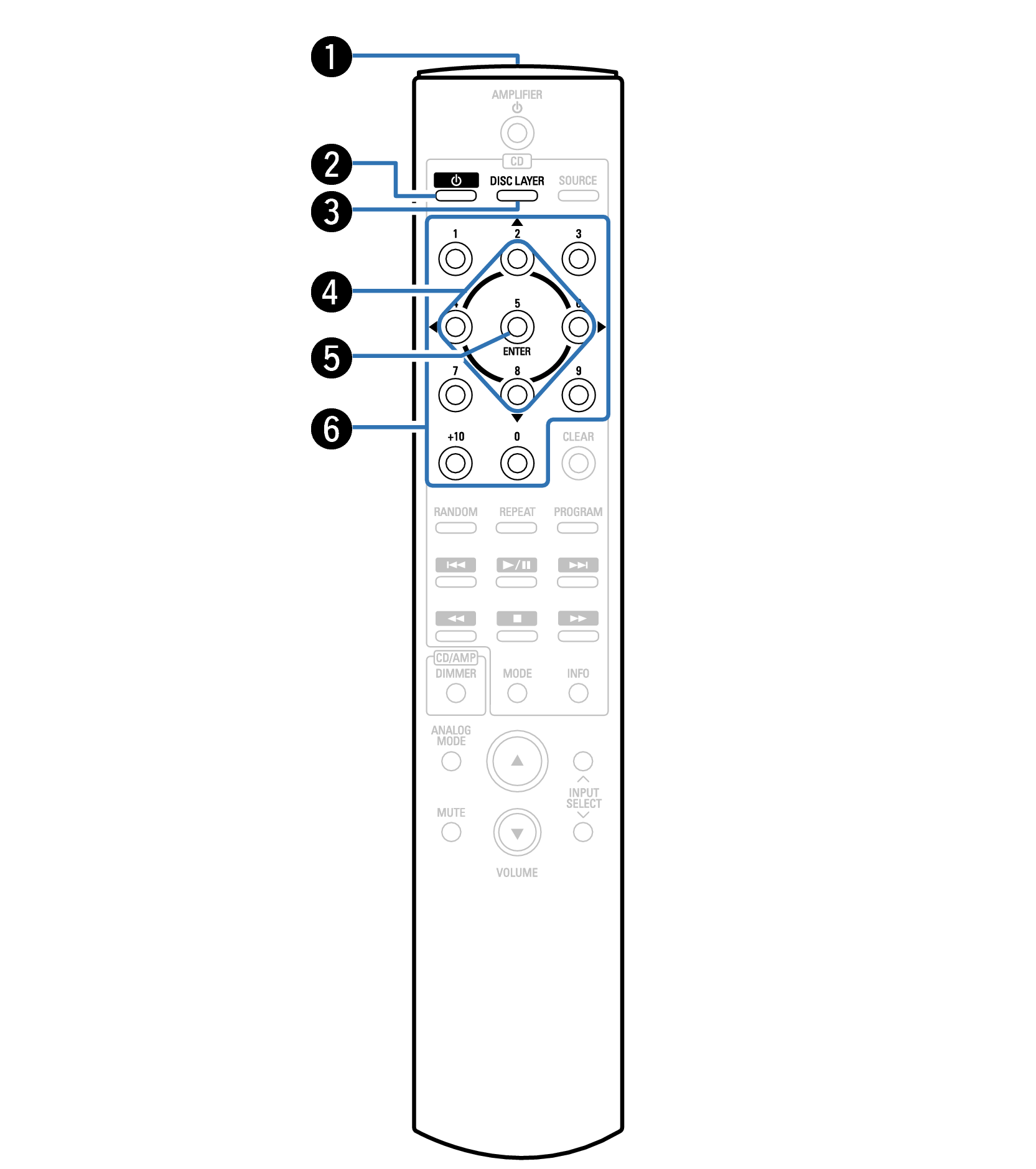
Remote control signal transmitter
This transmits signals from the remote control unit. link
Power (  ) button
This turns the power on/off (standby). link
DISC LAYER button
This switches the playback layer of a Super Audio CD.
Cursor buttons ( 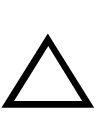
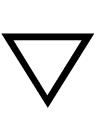

 )
)
These select items.
ENTER button
This determines the selection.
Number buttons (0 – 9, +10)
These enter numbers into the unit.
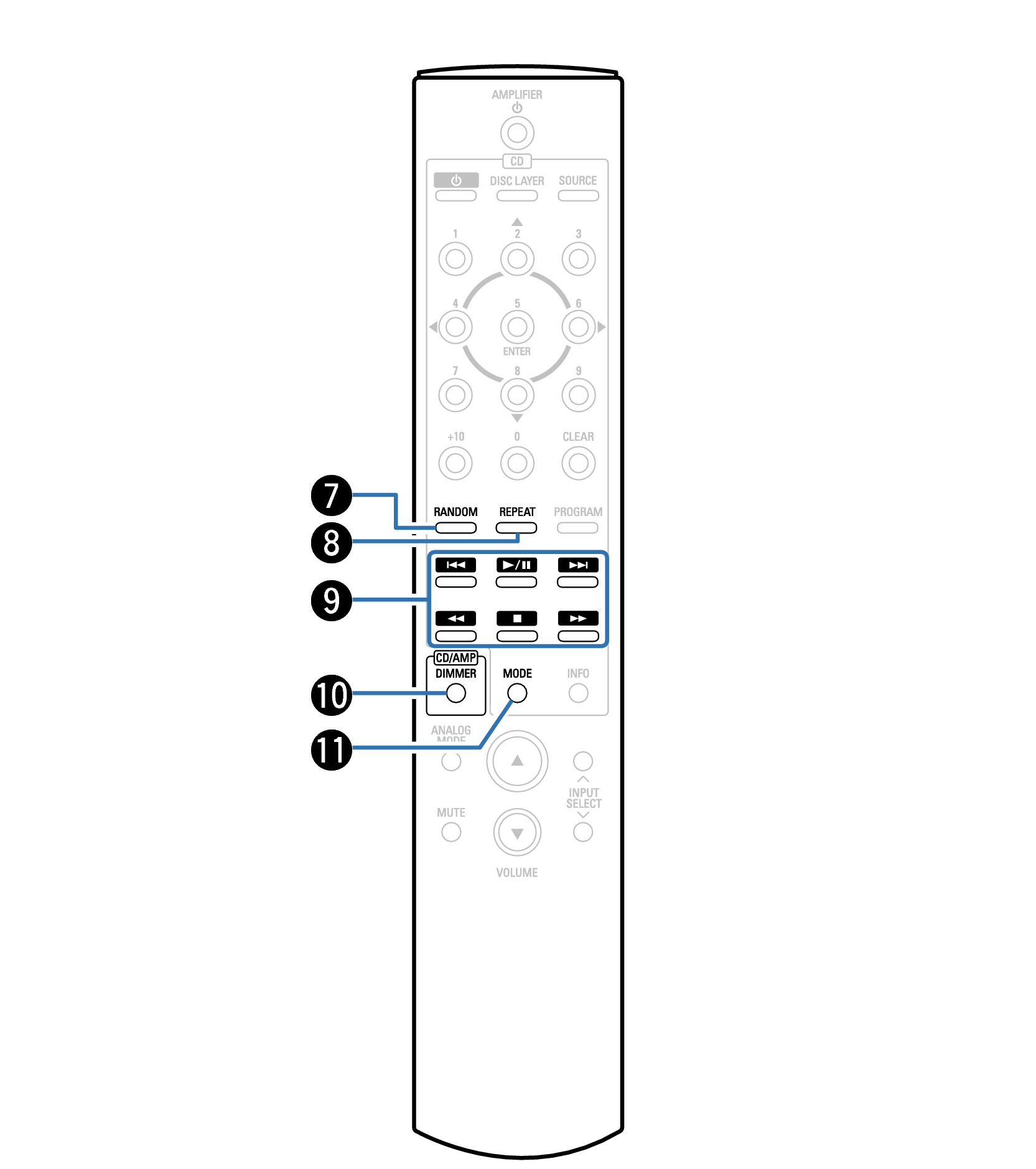
RANDOM button
Switches the random playback.
REPEAT button
Switches the repeat playback.
System buttons
These perform playback related operations.
Play/Pause button (  /
/  )
)
Plays the track/Pauses the track.
Forward-skip button (  )
)
Press this button during playback to play the next track.
Reverse-skip button (  )
)
Press this button during playback to restart the current track or play the previous track.
Stop button (  )
)
Press this button to stop during playback.
Fast-forward button (  )
)
Press and hold this button to fast-forward the track.
Rewind button (  )
)
Press and hold this button to fast-reverse the track.
DIMMER button
This switches the brightness of the display. link
MODE button
This switches the playback mode. link
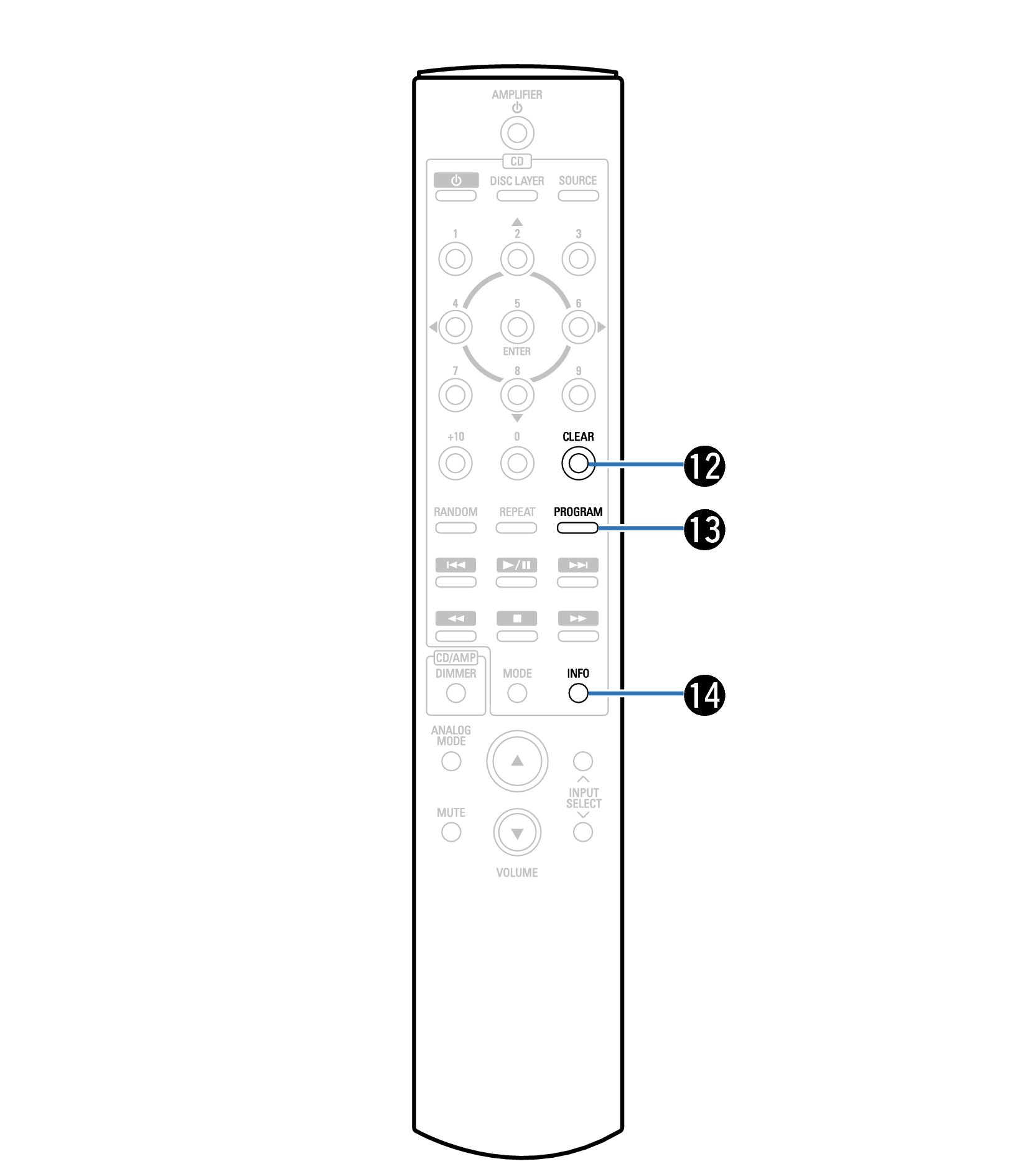
CLEAR button
This clears the program registration. link
PROGRAM button
This sets program playback. link
Information button (INFO)
This switches the track information shown in the display during playback.
You cannot use the SOURCE button for the operation of this unit.
Amplifier operations
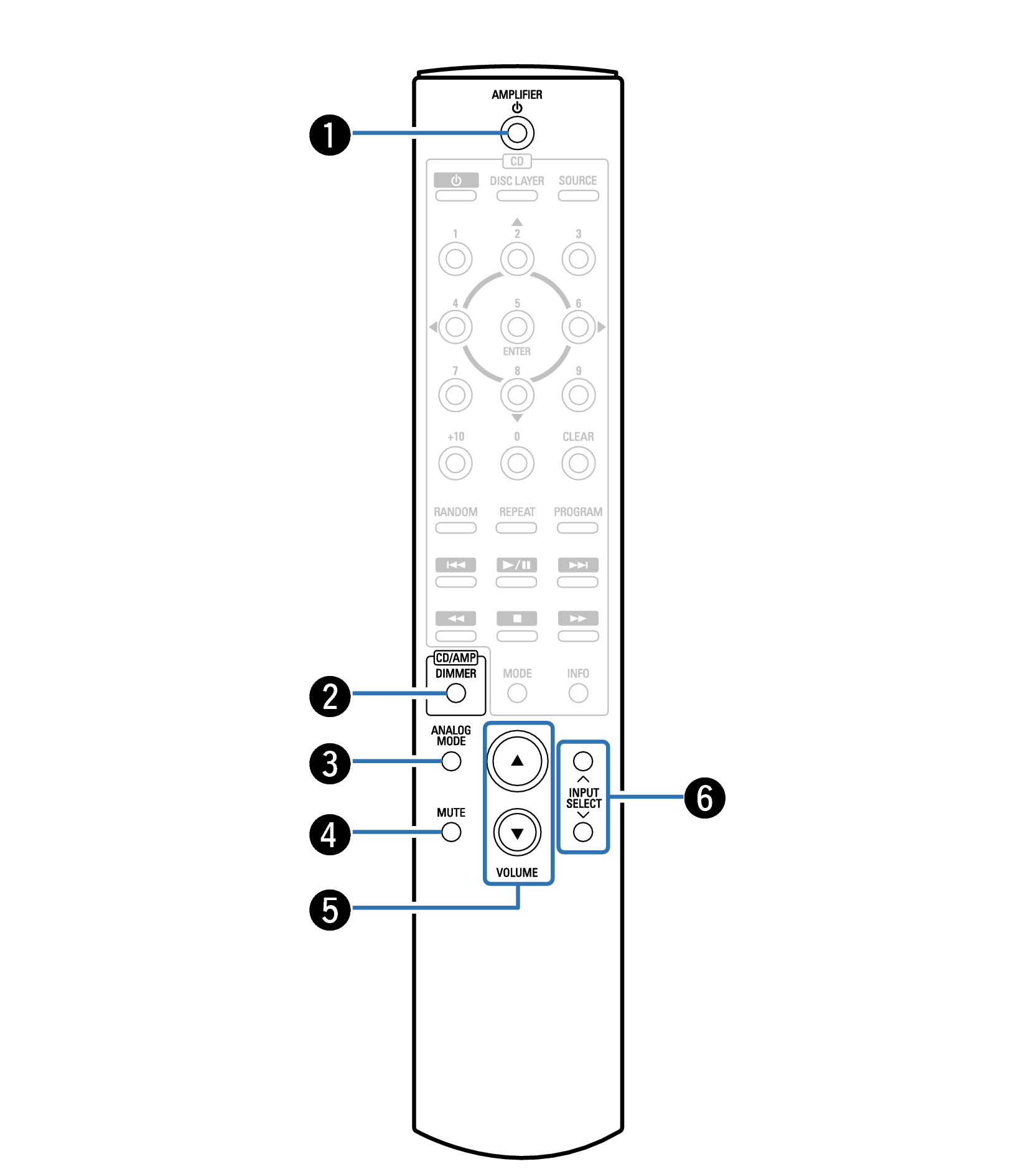
A Denon amplifier can be operated.
Power (AMPLIFIER ) button
DIMMER button
ANALOG MODE button
MUTE button
VOLUME buttons ( 
 )
)
Input source select buttons (INPUT SELECT)
NOTE
The remote control may not operate some products.