
Search result
Using the automatic stop function
When automatic stop is on, the tone arm automatically raises after playback and then the platter stops. This keeps the platter from continuing to turn and cause stylus wear should you accidentally fall asleep while listening to a record, etc.
The default setting is on.
Press AUTO STOP ON/OFF on the rear panel to turn the automatic stop function on.
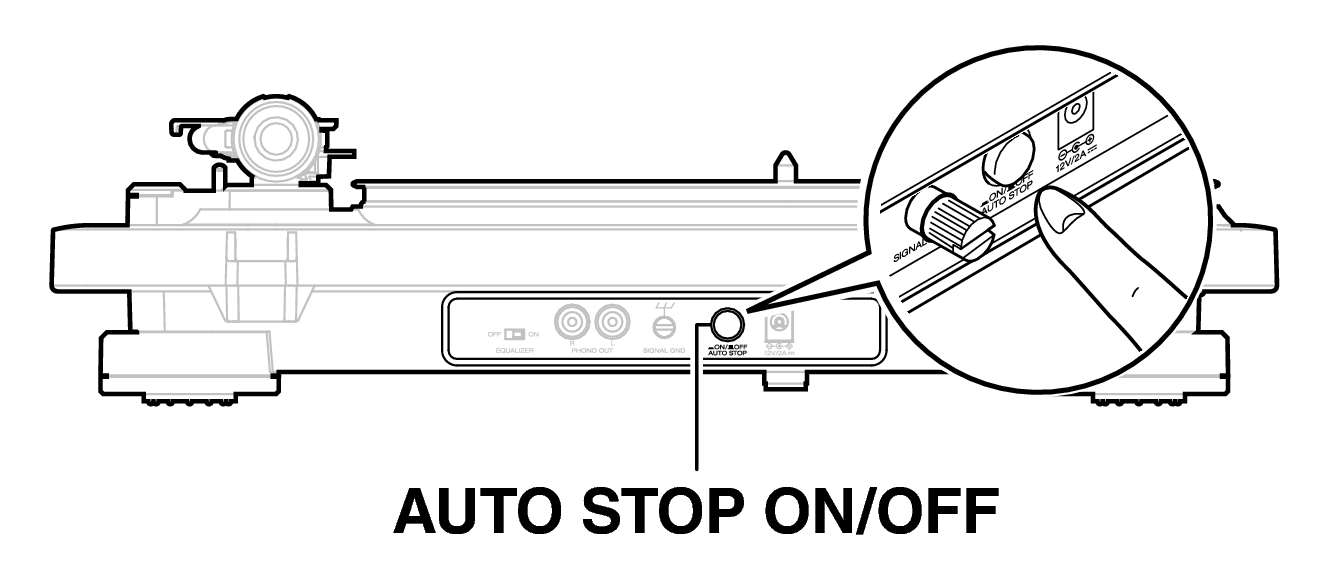
Make sure that AUTO STOP ON/OFF is pressed all the way in to make ensure that automatic stop is on.
The power will switch to standby approximately 15 minutes after the platter stops. Use the RPM selector knob to restart playback.