
Search result
Front
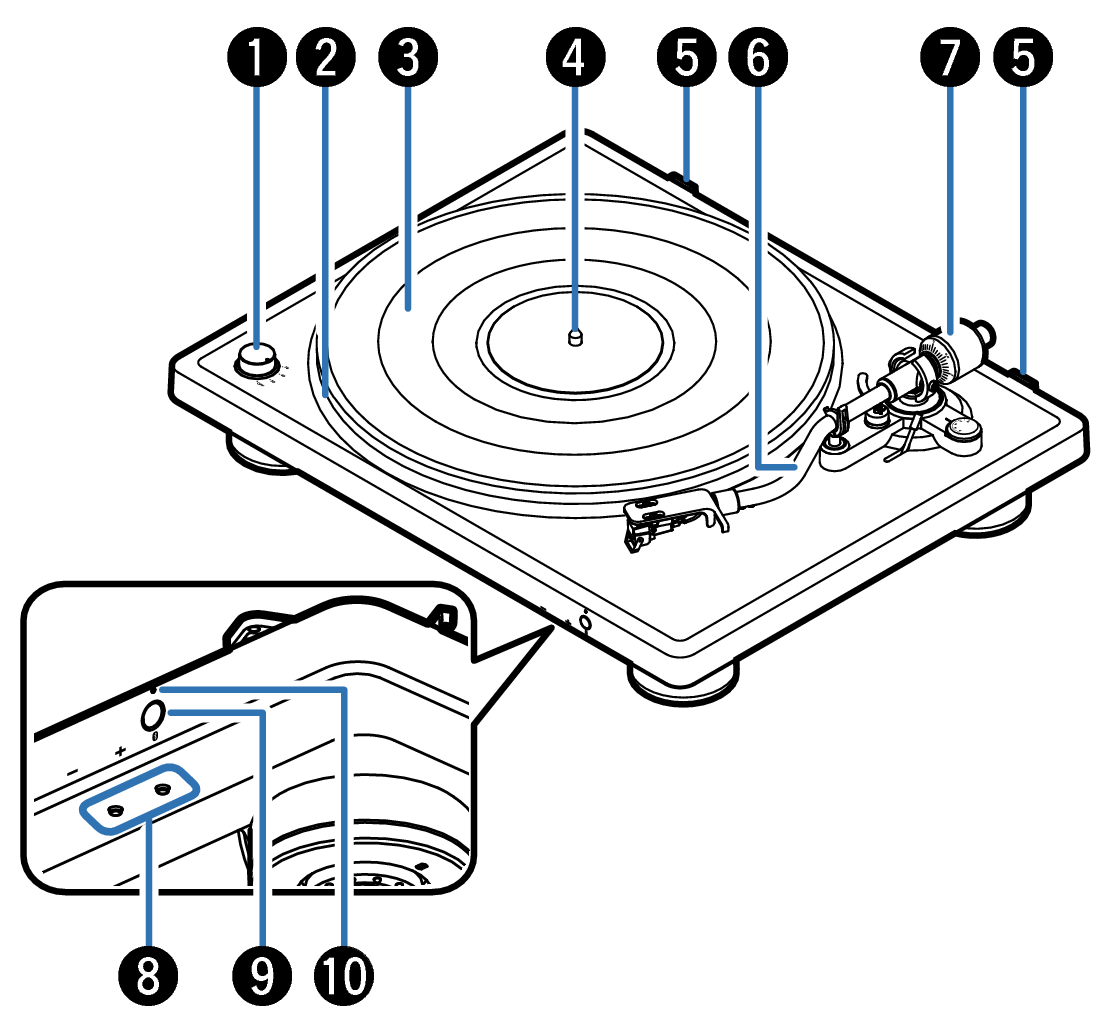
RPM selector knob
Switches the RPM to match the record being played. link
Platter
Attached by mounting on the center spindle on the main unit. The belt is equipped underneath. link
Platter mat
Mounted on top of the platter. link
Center spindle
Place the platter and records so that it comes out through the center.
Hinge holders
Used to attach the included hinges and dust cover. link
Tone arm
The counterweight is mounted on the back. link
The head shell with cartridge is attached to the tip. link
Counterweight
Attached to the back of the tone arm to adjust stylus pressure.
Bluetooth volume buttons (+, –)
These adjusts the Bluetooth volume level. link
Bluetooth button (  )
)
Used in the Bluetooth pairing settings. link
Bluetooth indicator
This lights up or blinks as follows, depending on the Bluetooth connection status. link
Solid blue: Connected (SBC)
Solid purple: Connected (aptX/aptX HD/aptX Adaptive)
Blinking blue: Connecting
Solid red: Waiting
Blinking red and blue alternately: Pairing
Blinking red twice: Clearing pairing information
Off: Standby
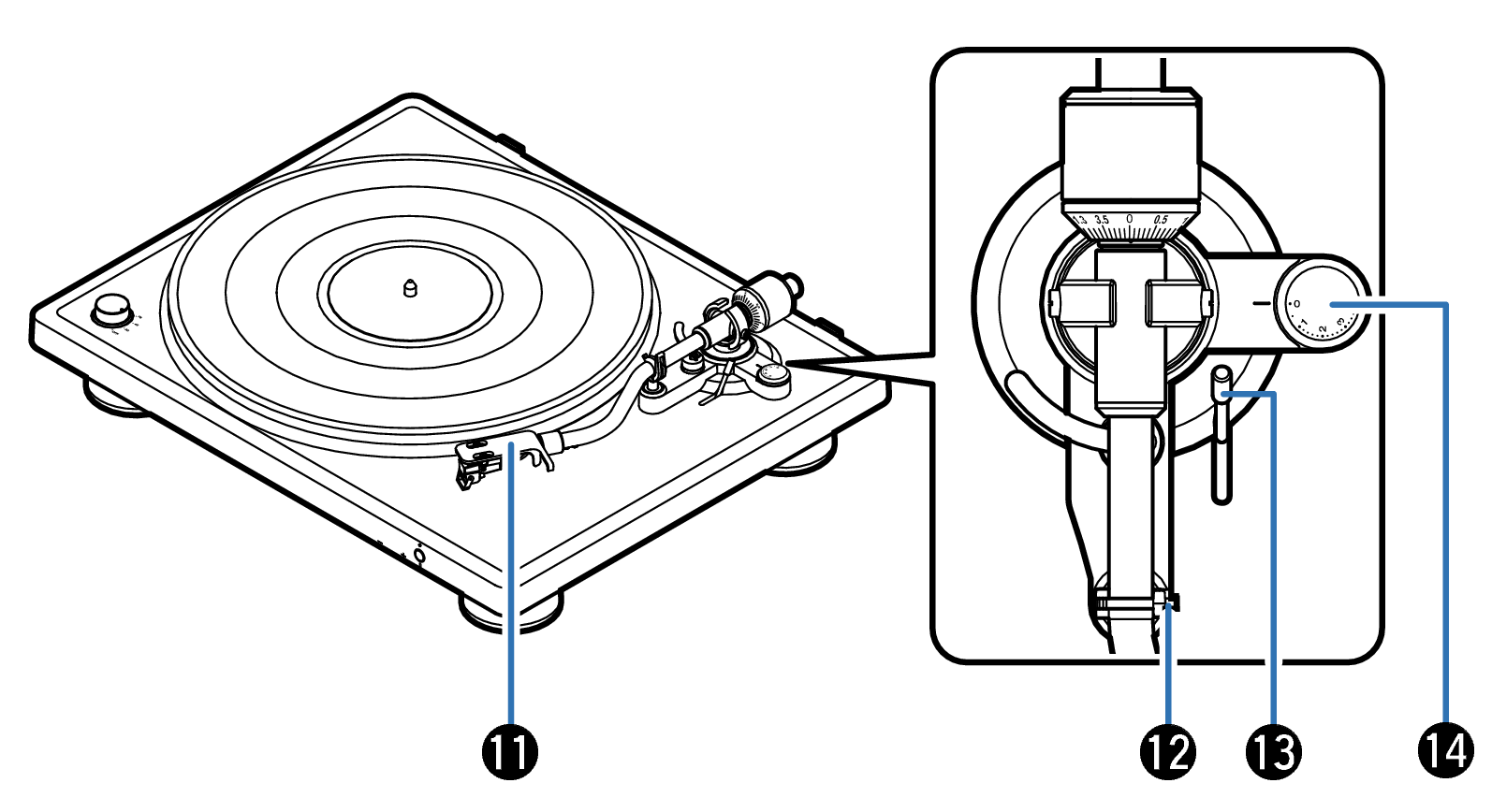
Head shell with cartridge
Attached to the tip of the tone arm. link
Armrest
Rest the tone arm here when it is not in use for record playback.
Lifter lever
Raises and lowers the tone arm. Lowering the lever slowly lowers the tone arm to place the stylus without damaging it or the record to be played.
Anti-skating dial
Adjusts anti-skating. link