
Search result
Record playback
Place a record on the platter mat.
For EP (“doughnut”) records, insert the included 45 rpm adapter onto the center spindle.
Turn the RPM selector knob to match the platter rpm with the rpm of the record.
The platter will start turning.
You can select 33 1/3, 45, 78 rpm as the platter speed per minute.
The record rpm is normally indicated on the jacket or label of the record.
The included cartridge is also capable of playback at 78 RPM.
Raise the stylus cover of the cartridge.

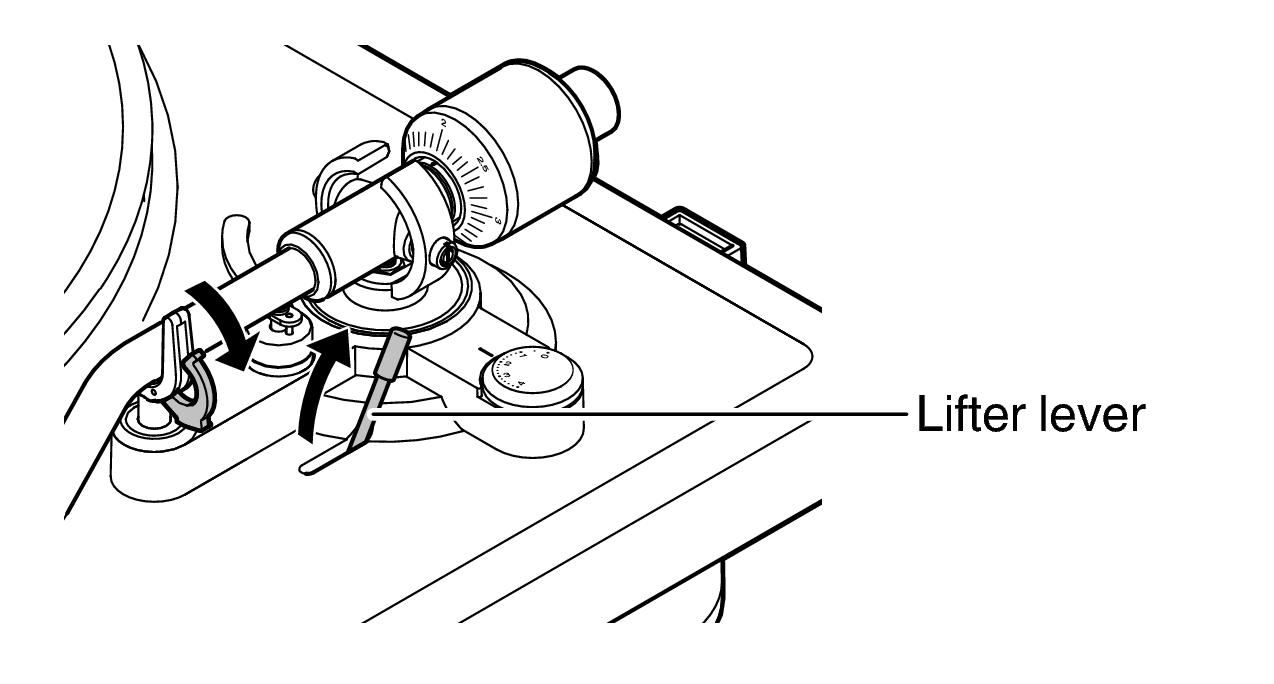
Release the arm rest lock and raise the lifter lever.
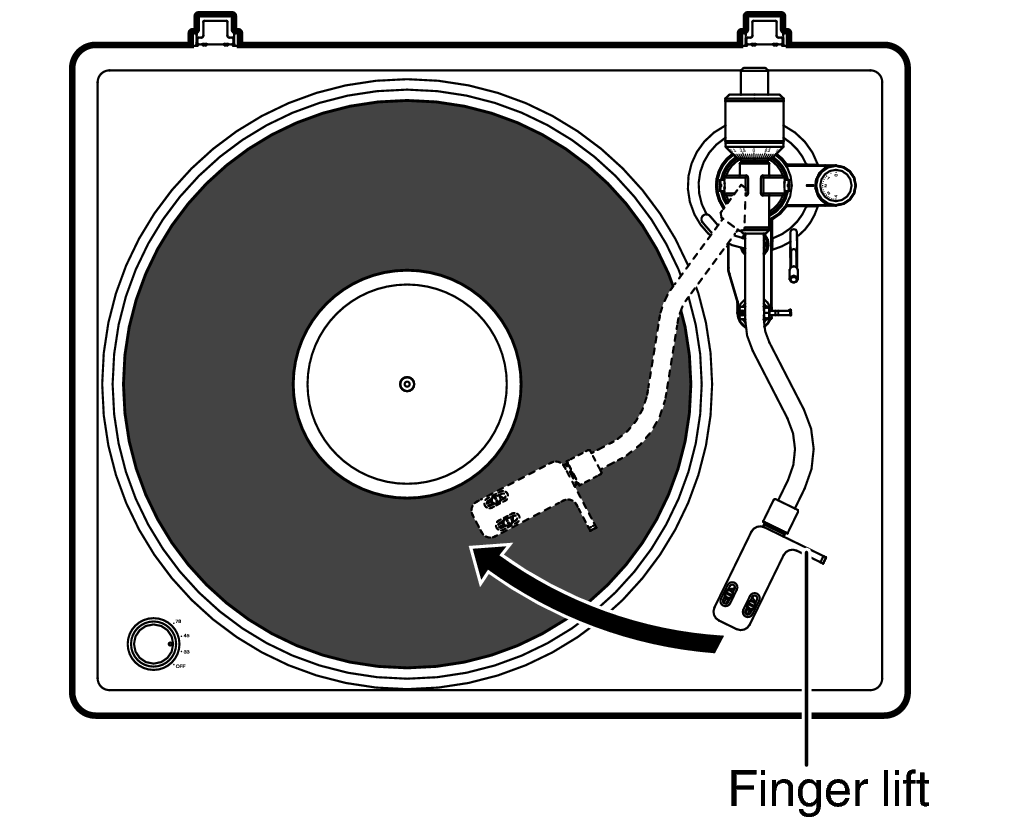
Grip the finger lift, and move the stylus tip directly above the start position of the track to play.
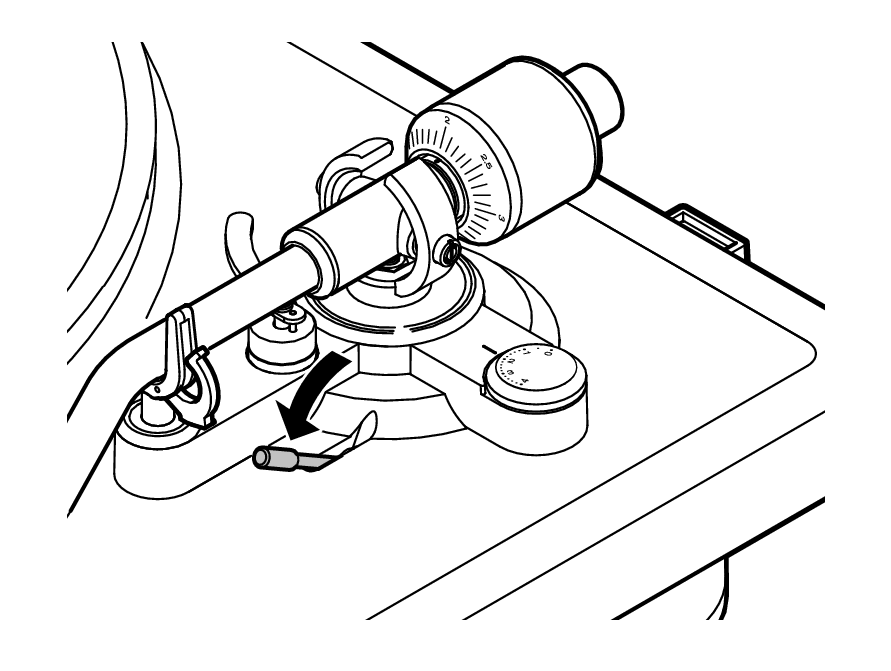
Lower the lifter lever.
The tone arm slowly lowers, and playback starts when the stylus tip reaches the record.
Be careful not to scratch records.
Observe the following during playback.
Do not touch the tone arm or platter.
Do not disconnect the power.
Make sure this unit is not subjected to vibration or impact.
Do not change the record until the platter has completely stopped.
Do not apply pressure with your hand to stop the platter while it is turning. Doing so creates internal heat which can lead to equipment failure or fire.