Stereo pairing
Creating a Stereo Pair
A matching pair of speakers that have been grouped together can be saved as a persistent Stereo Pair where one speaker outputs the left channel of audio and the other speaker outputs the right channel of audio. Paired speakers will then appear as a single room (with two speakers playing music) in the Rooms list.
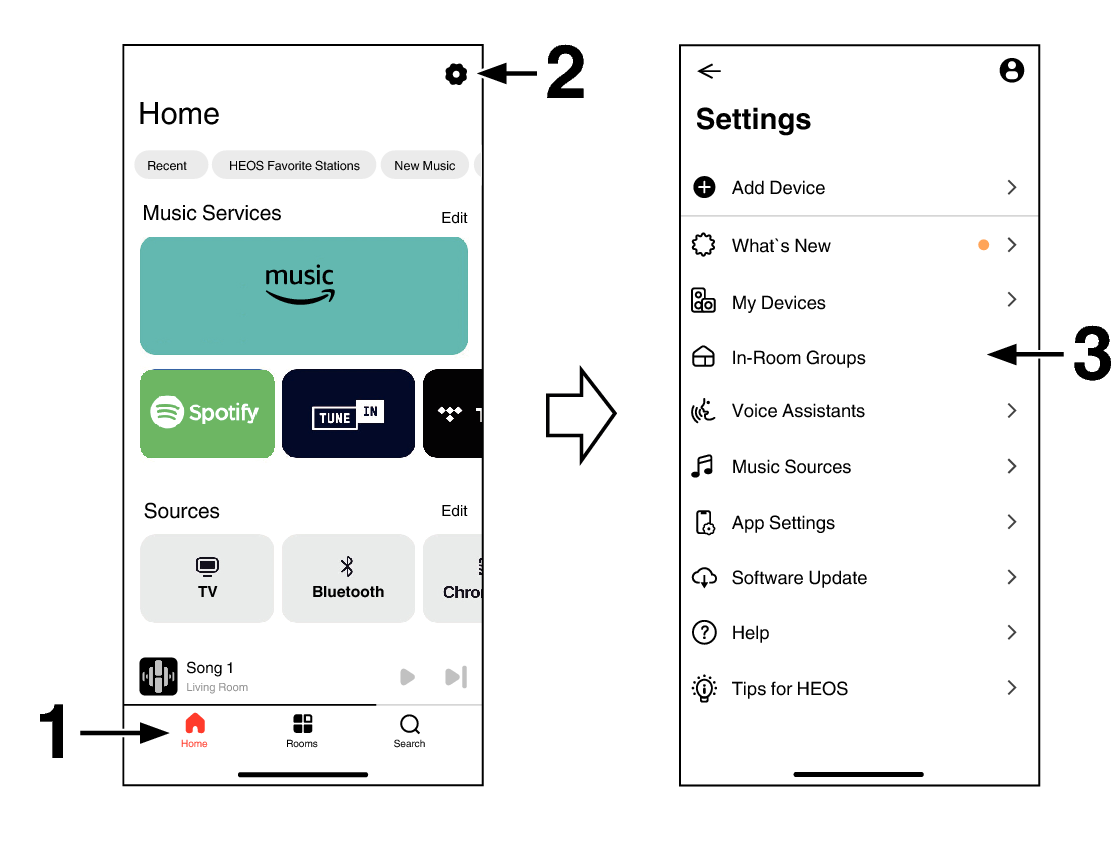
Tap the “Home” tab.
Select the Settings icon  in the upper-right corner of the screen.
in the upper-right corner of the screen.Tap “In-Room Groups”.
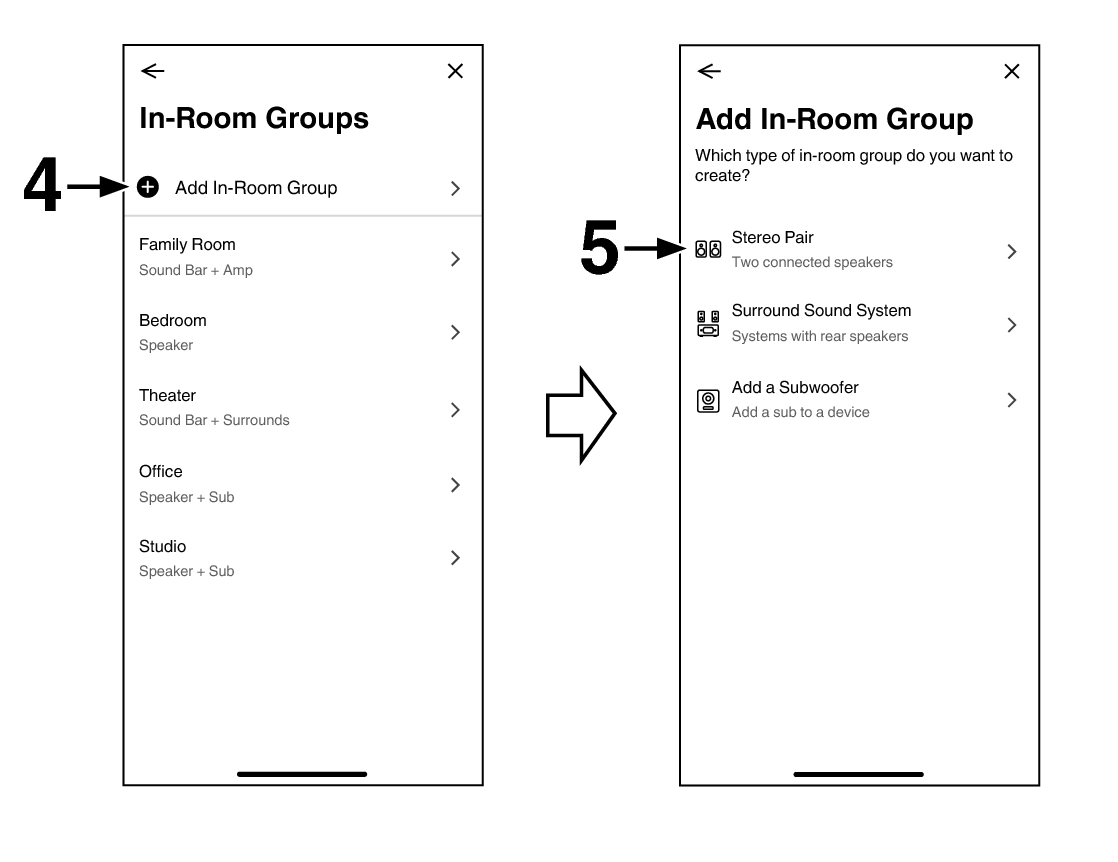
Tap “Add In-Room Group”.
Tap “Stereo Pair”.
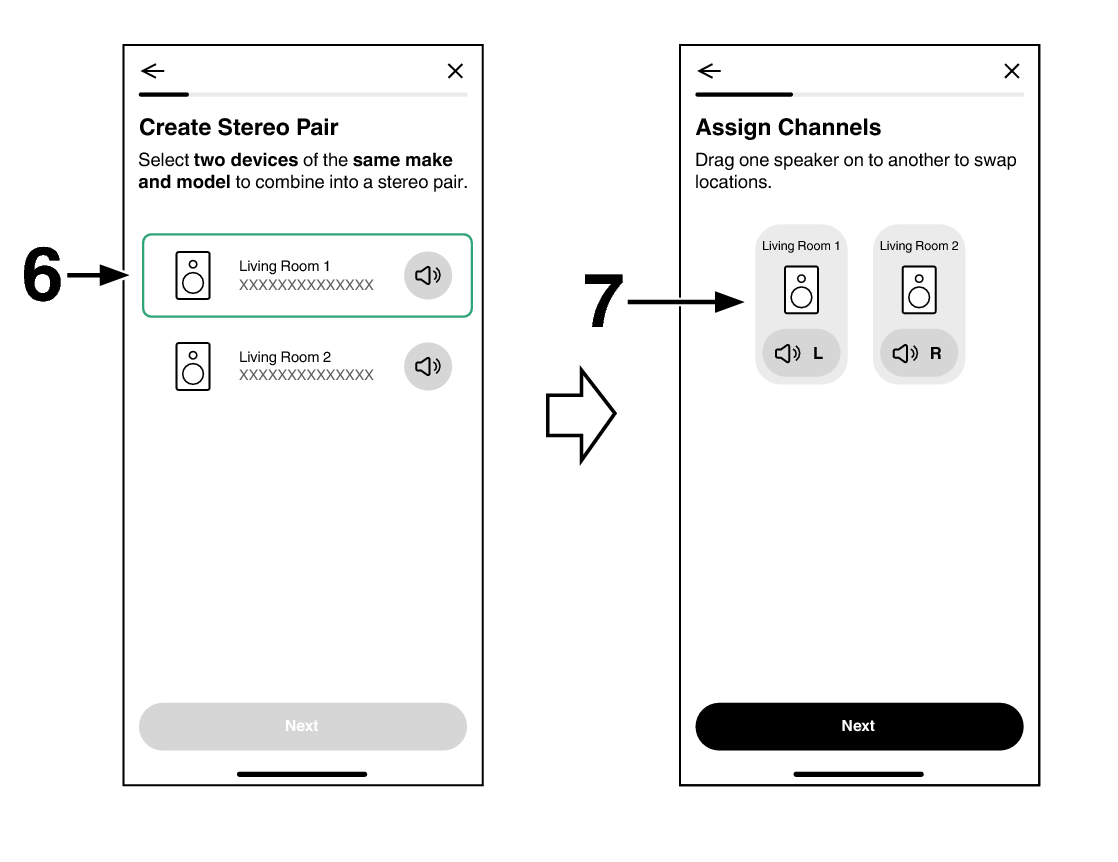
Tap to select the two speakers to use as a Stereo Pair.
The same model speakers must be selected.
Set the left and right speaker alignment.
Tap  , the left and right speakers output sound, so you can check the settings.
If you wish to swap the left and right speakers, drag and drop one speaker to the other.
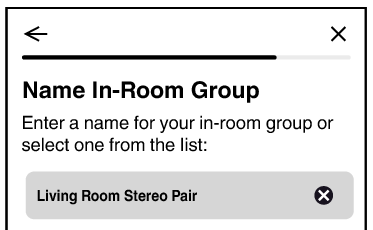
Name the Stereo Pair to show in the list of rooms.
In the example below, the Stereo Pair is named “Living Room Stereo Pair”.
Removing a stereo pair
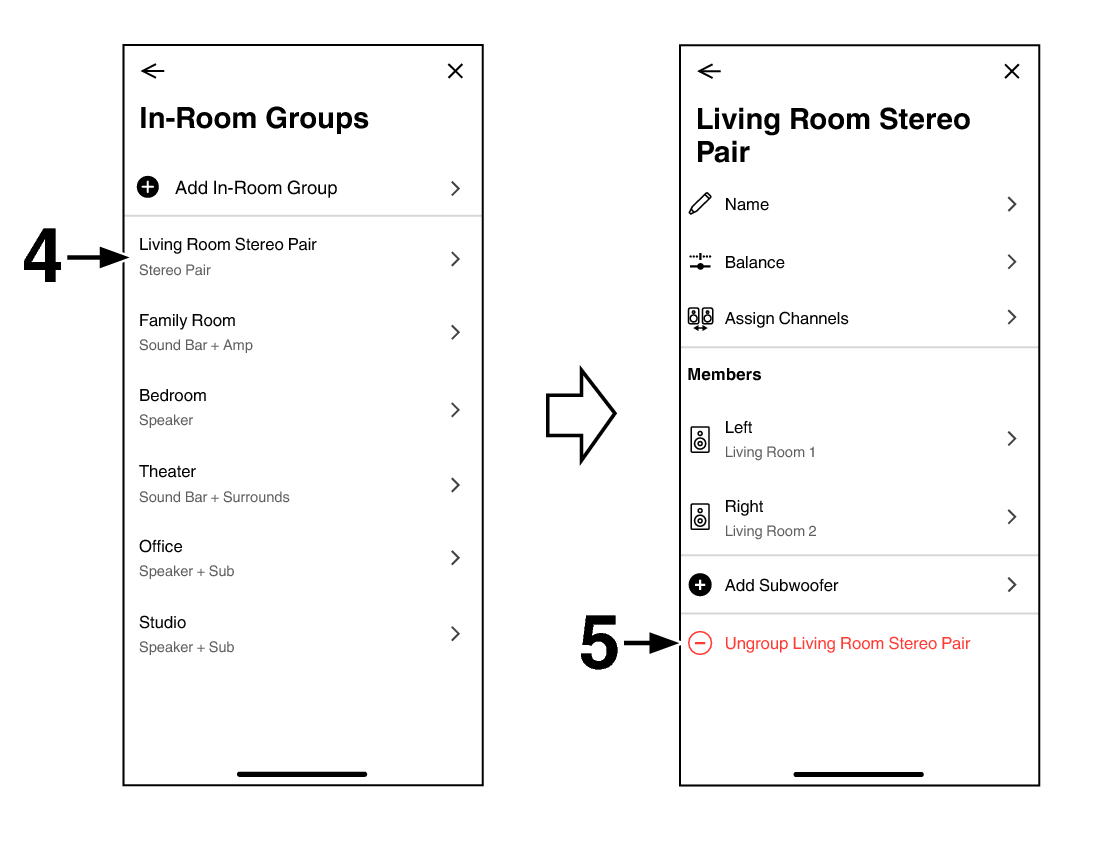
Tap the “Home” tab.
Select the Settings icon in the upper-right corner of the screen.
in the upper-right corner of the screen.Tap “In-Room Groups”.
Tap the name of the group (“Living Room Stereo Pair”) to return the paired speakers to two individual speakers.
Tap “Ungroup Living Room Stereo Pair”.
In this procedure, “Living Room Stereo Pair” is used as the group name.