
Pairing with other Bluetooth devices
To pair the earbuds to two or more Bluetooth devices, you must manually change the earbuds to the pairing mode. There are two ways to manually change the earbuds to the pairing mode, from the charging case and from the earbuds.
Operating the charging case
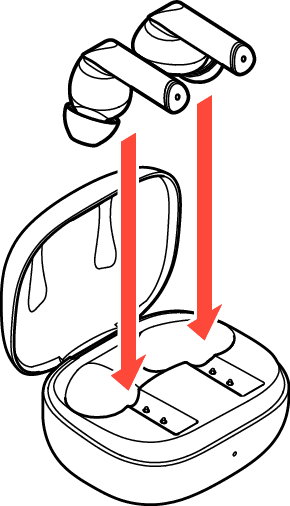
Place the earbuds in the case.
Do not close the lid of the charging case.
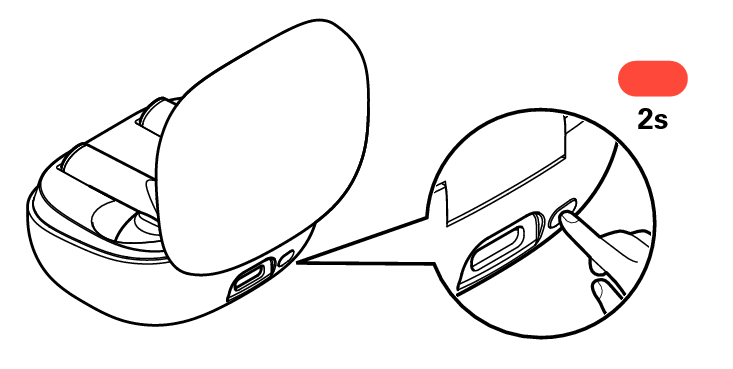
With the lid of the charging case open, long press the multi-function button for approximately 2 seconds.
If the LED on the charging case is slowly flashing in white, the earbuds are in the pairing mode.
Turn on the Bluetooth function of your Bluetooth device.
For details, see the Owner’s Manual of the Bluetooth device that you want to connect.
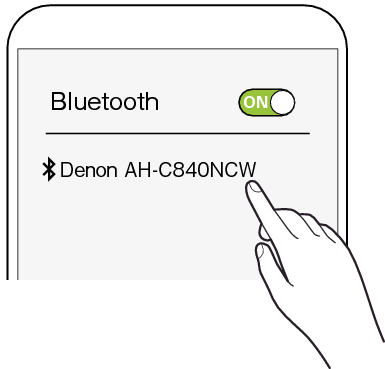
Select “Denon AH-C840NCW” from the list of devices displayed on the screen of the Bluetooth device.
The Bluetooth connection is established.
On the screen of the Bluetooth device, confirm that a connection has been made.
Operating the earbuds
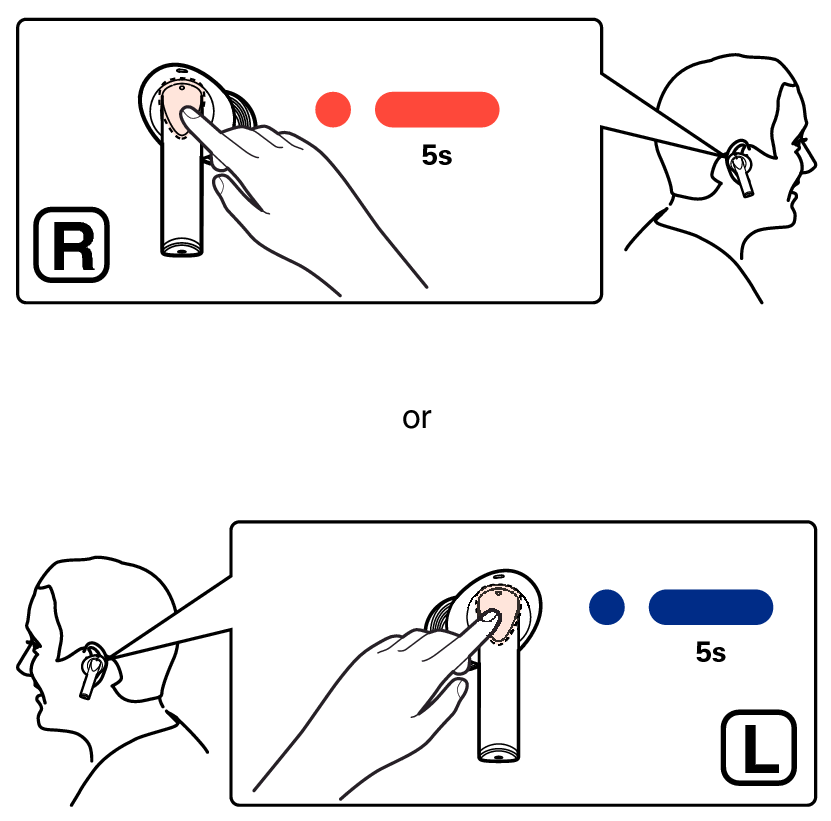
Tap the touch sensor of the right or left earbud, and then press again for approximately 5 seconds.
The pairing mode will be activated with a notification sound from the earbuds.
Turn on the Bluetooth function of your Bluetooth device.
For details, see the Owner’s Manual of the Bluetooth device that you want to connect.
Select “Denon AH-C840NCW” from the list of devices displayed on the screen of the Bluetooth device.
The Bluetooth connection is established.
On the screen of the Bluetooth device, confirm that a connection has been made.