Charging the charging case
If the charging case is charged with the earbuds in it, both the charging case and earbuds are charged.
Connect the charging case to the USB AC adapter (not included) or a PC with the USB cable (included).
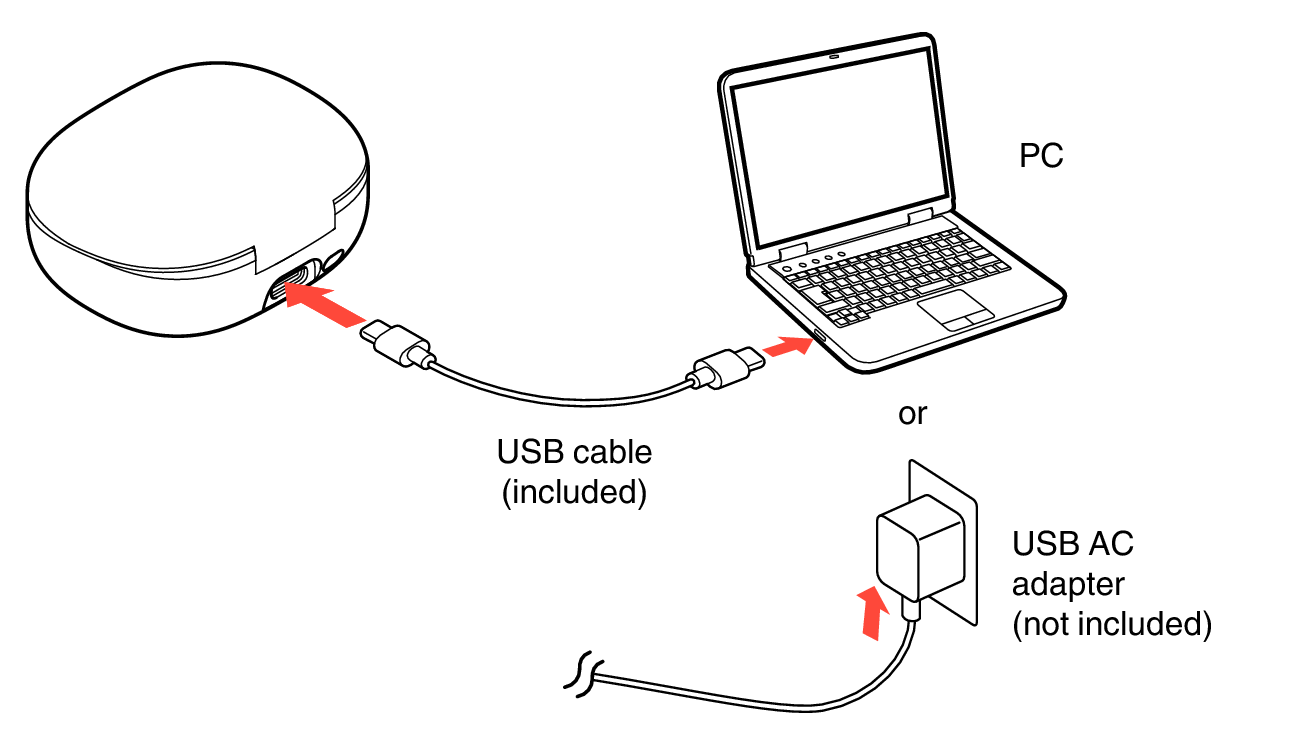
The charging status can be checked from the status LED on the charging case.
|
Charging status |
Color of status LED |
|
|
Charging |
Blinks in red |
 |
|
Charging |
Solid red |
 |
|
Fully charged |
Solid green |
 |
When using the earbuds for the first time after purchase or when the remaining power of the rechargeable battery is low, charge the battery. When the level of the rechargeable battery is low, a notification sound is heard from the earbuds.
The earbuds can be used for approximately 7 hours of music playback (Active Noise Cancelling mode) when fully charged.
It takes approximately 3 hours to fully charge the rechargeable battery from the state of no remaining battery power.
The usable time of the earbuds differs depending on the temperature of the environment in which they are used and method of use.
NOTE
When connecting the USB cable to the USB port, be sure to match the cable connector with the shape of the socket. Forcing the connector into the socket will cause damage.
The rating of the charging output should be DC 5 V, 2.4 A or less.
If the charging ports of the earbuds and charging case are dirty, charging may not be possible. Wrap a clean cloth soaked with anhydrous ethanol around a toothpick and gently wipe the ports regularly.
If the earbuds get any moisture, thoroughly wipe it off before placing them in the charging case.
When you are charging your earbuds by connecting them to your computer, even if the computer displays an error message indicating that the USB device is not recognized, they will be charged. For the charge state, check the status LED.
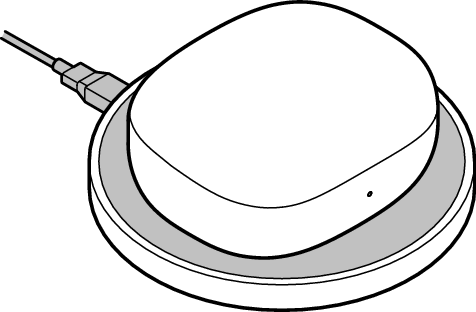
Wireless Charging
The earbuds can be charged using a commercially available wireless charger. To charge the earbuds, place the charging case with the lid closed on the wireless charger. Please refer to the instruction manual of the wireless charger when charging.