
How to control your earbuds
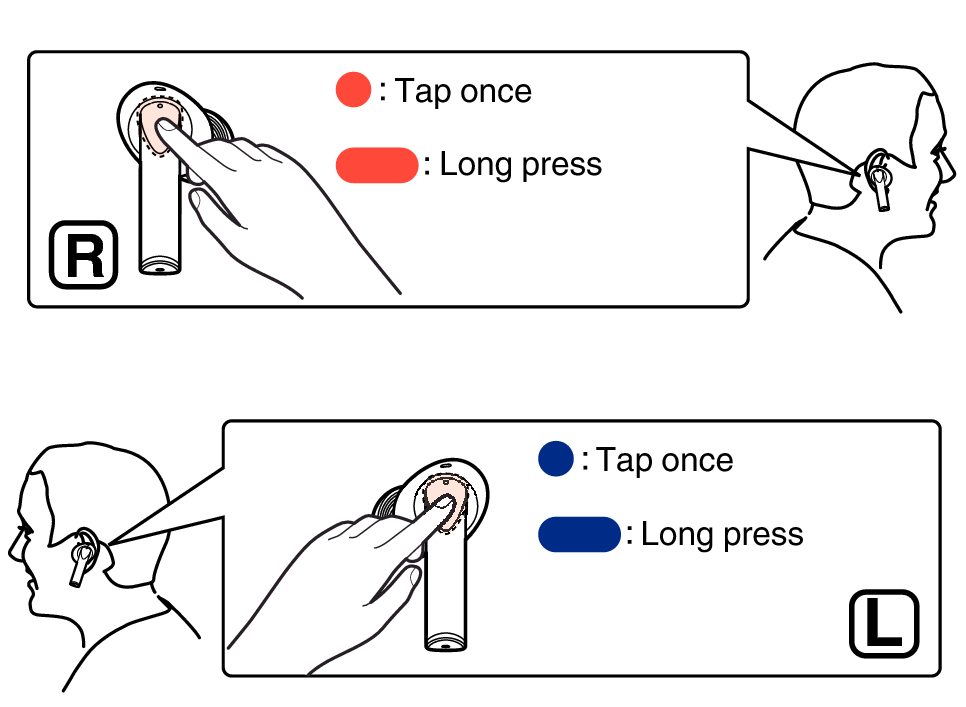
The main operation methods of the earbuds are as follows.
|
Music control |
Play/Pause |
 |
|
Next track |
 |
|
|
Previous track |
 |
|
|
Call operation |
Answer the call |
|
|
End/Decline calls |
|
|
|
Mute/Unmute microphone |
 |
|
|
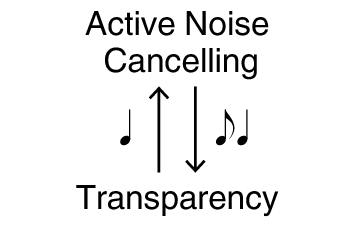
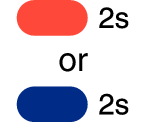
Sound mode setting |
 |
 |
|
Pairing |
Enter Bluetooth pairing mode |
 |
You can customize the operation of the touch sensor using the Denon Headphones app. You can assign volume control or activation of voice assistant, etc. to each operation of the touch sensor, or disable the touch sensor.
Even if you assign the volume control to the double tap operation, it is not working during a call. When you double tap during a call, it will prioritize ending the call.
Voice assistant functions are not available when the earbuds are connected to LE Audio.