
Side panel
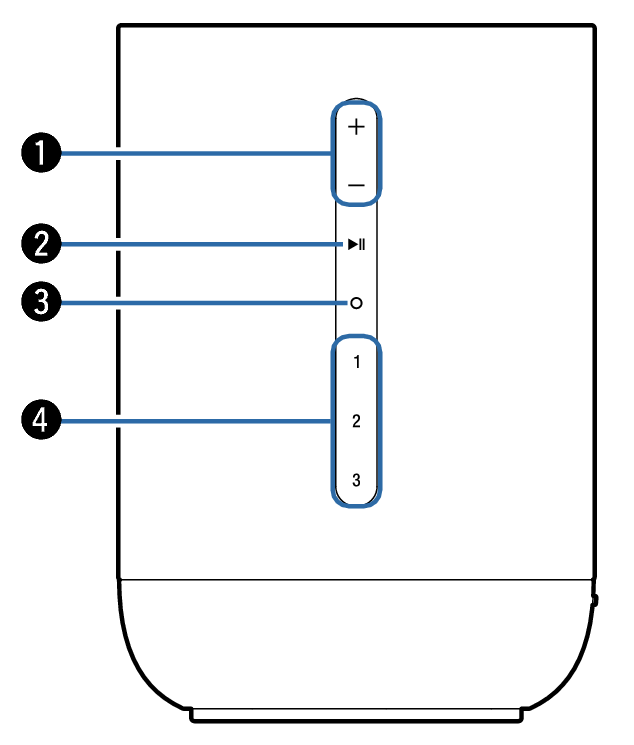
Volume buttons (+, –)
These adjusts the volume level.
Play/Pause button ( 
 )
)
Press this button to pause during playback. If pressed while paused or stopped, resumes playback from the last track played.
Press and hold the button for 5 seconds to enter Deep Standby mode. link
Press this button twice during playback to play the next track.
Press this button three times during playback to restart the current track or play the previous track.
Action button (  )
)
This calls Siri. You can use voice control without saying “Hey, Siri”. link
Quick select buttons (1 - 3)
Register input source settings to these buttons or recall those settings. link