Contents
English
Français
Español
Deutsch
Italiano
Nederlands
Polski
Русский
Svenska
WEB Manual
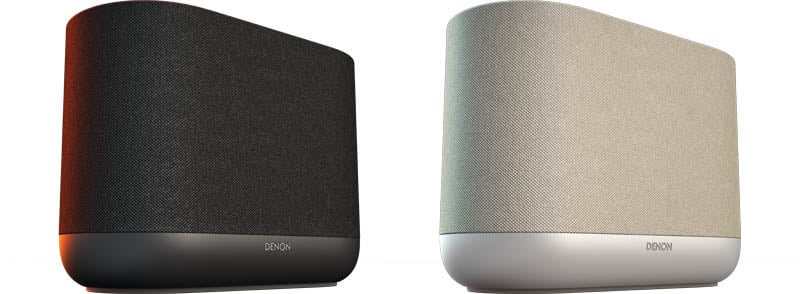
Wireless Speaker
DENON HOME 400
Overview
Accessories
Part names and functions
Front panel
Side panel
Rear panel
Placing
Wall or floor stand mounting
Powering your speaker
Getting the HEOS app
Setup
Setting up the HEOS app for the first time with a HEOS Built-in device
Adding the registration of HEOS Built-in devices in the HEOS app
Adding wired HEOS Built-in devices
Adding wireless HEOS Built-in devices
HEOS account
Playback
Playing from streaming music services
Selecting a room/device
Selecting the music track or station from music sources
Listening to the same music in multiple rooms
Grouping rooms
Ungrouping rooms
Grouping all rooms
Ungrouping all rooms
Listening to Internet Radio
Playing music stored on your mobile device
Playing back files stored on a PC or NAS
Playing music from the AUX input
Playing music from a USB flash drive
Playing music from a Bluetooth device
AirPlay function
Playing songs from your iPhone, iPod touch, iPad or Mac
Playing songs from Windows PC
Spotify Connect function
Playing Spotify music with your speaker
Quick Select function
Operating this unit by voice with the Siri function
Stereo pairing
Troubleshooting
Troubleshooting
Cannot connect the speaker to the network
Cannot pair a Bluetooth mobile device with the speaker
Cannot hear Bluetooth music
Music cuts out or delays sometimes
I hear a delay when using the AUX input with my TV
Connecting to a network using an iOS device
I hear distortion when using the AUX input
Buttons do not operate correctly
Cleaning of the fabric around the speaker
Resetting network settings
Resetting your speaker
Status LED
Status LED table
Appendix
Power management
Enable/disable Wi-Fi and Bluetooth functions
Supported file types and codecs
Trademark information
Specifications
PDF Download
Safety Instructions Download